Ask us the question, We will answer!

Please fill in the form completely and send it back to us. The more information we get, the better we can help you. We will contact as soon as possible.

    LCS810 Pro

    IQ Video Lecture Capture System LCS810 Pro

    A multifunctional integrated lecture recording system,
    the best choice for your hybrid classrooms.

    IQ Video Lecture Capture System LCS810 Pro

    A multifunctional integrated lecture recording system, the best choice for your hybrid classrooms.

    Powered by advanced technology, the LCS810 is a professional lecture recording solution designed to deliver clear, high-quality video with minimal setup. It integrates easily with a wide range of devices and supports modern online learning environments, making it ideal for both recording and hybrid teaching scenarios. When paired with third-party video conferencing platforms, the LCS810 enables fully interactive, multi-party hybrid learning experiences.


    The LCS810 delivers a consistent, high-quality learning experience for in-room and remote participants. It supports a wide range of use cases, including classroom teaching, hybrid training programs, corporate learning, and government-led initiatives, making it a flexible solution for modern education and professional environments.

    The LCS810 package includes the following:

    • Wall mounted 15.6-inch Video Station
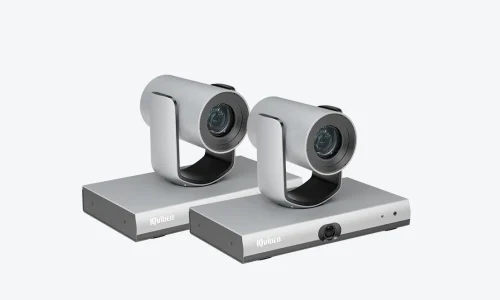
    • 2 x 4K tracking PTZ cameras
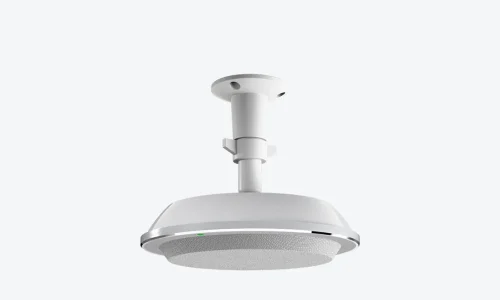
    • 2 x Ceiling microphone
    • Sound mixer
    • Web portal for remote control + layering of logos, date/time stamps, title screens, trailer screens & more
    LCS810_video station

    15.6-inch Video Station

    ptz camera

    4K tracking PTZ cameras

    ceiling mic

    Ceiling microphone

    Product features

    LCS810 lecture recording device combines powerful features such as latest 4-core CPU, large storage, stable performance, and a user-friendly interface, making it ideal for diverse scenarios such as educational, training, and distance learning environments. It not only enables multi-party video conferencing without third-party software (without setting up an MCU server), but also supports popular VC software such as Zoom, Microsoft teams, etc., for interactive video teaching.
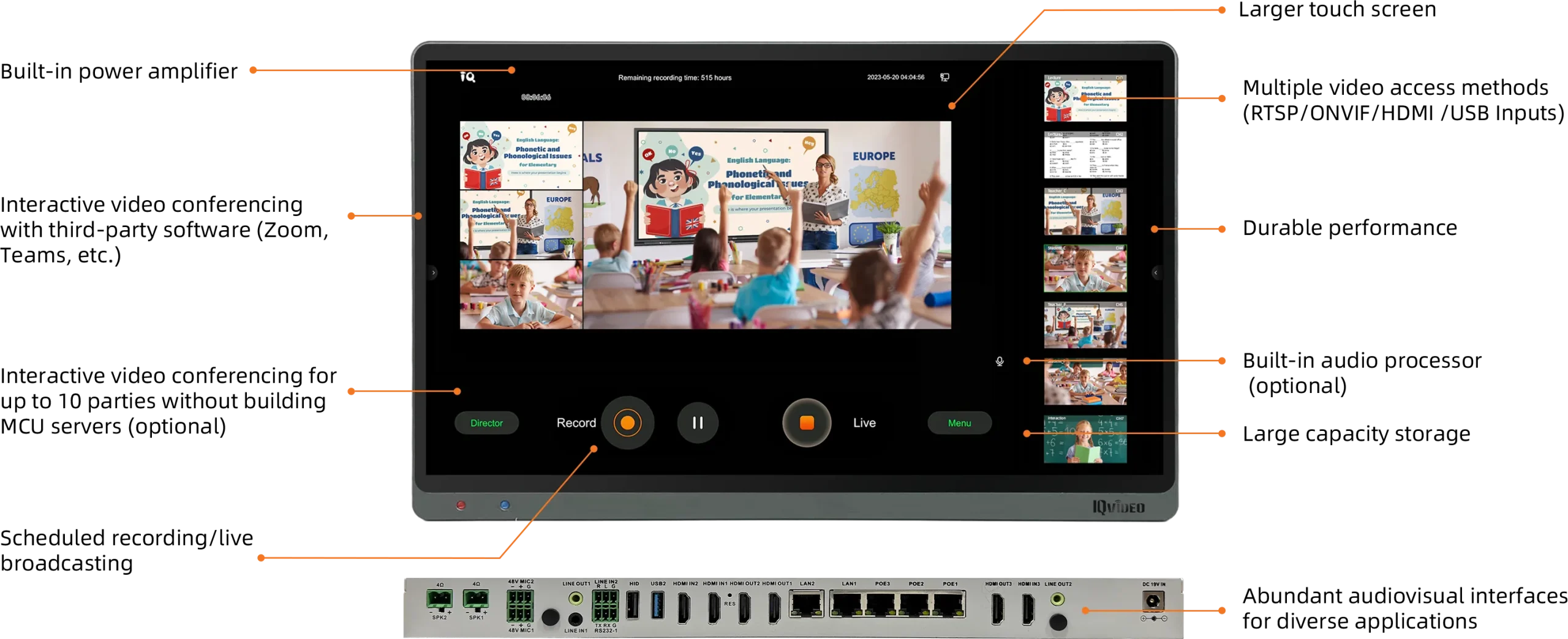
     

    High-Definition touch screen

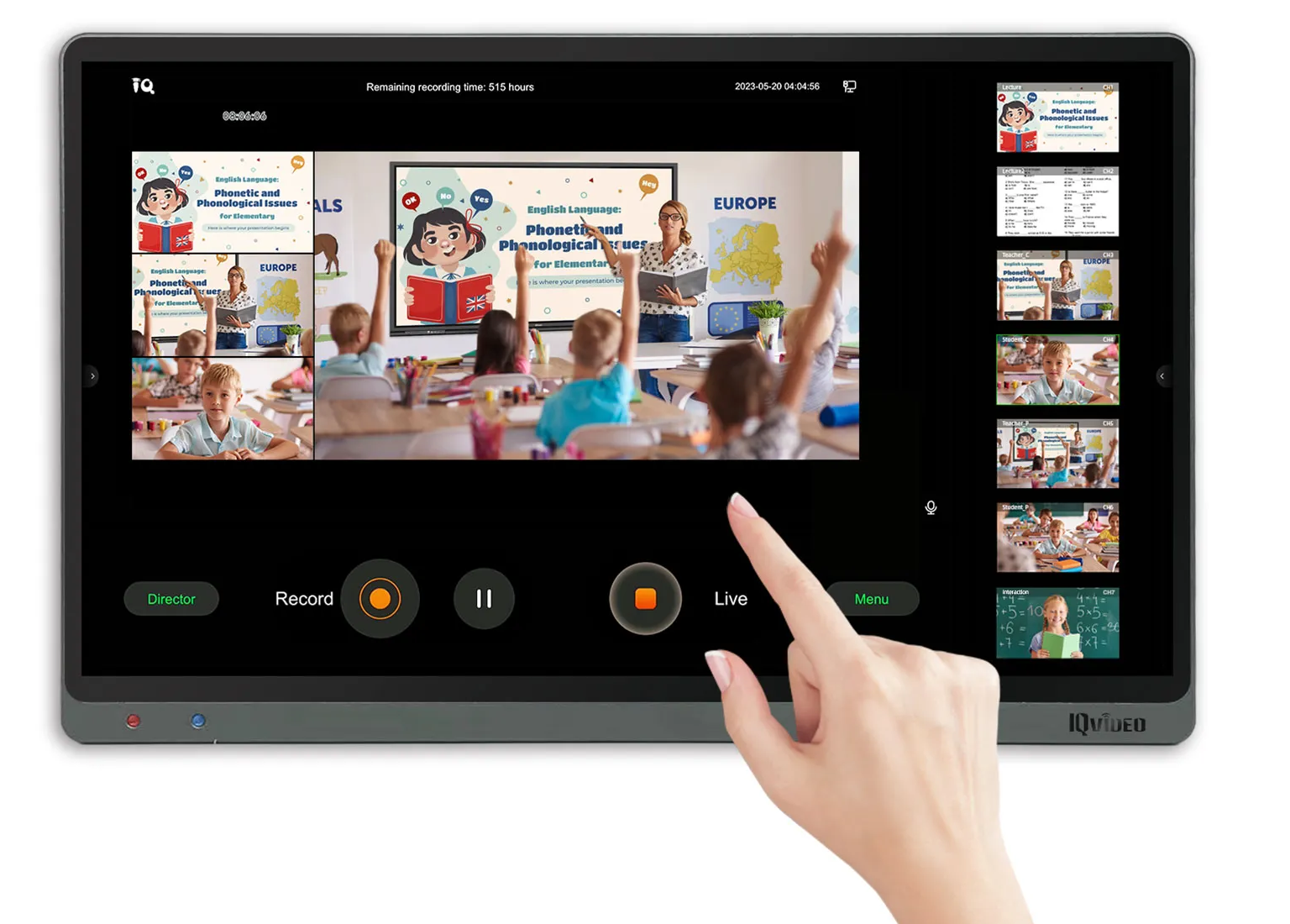
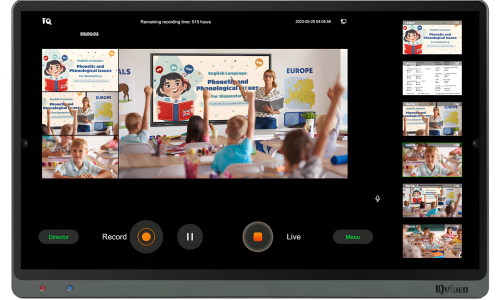
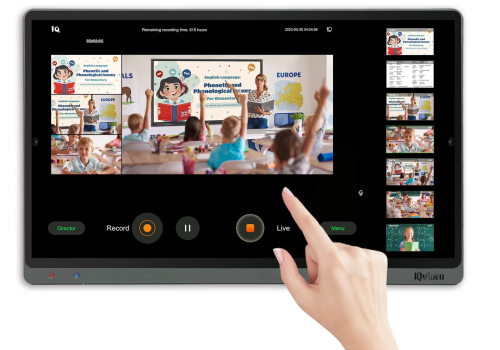
    The lecture capture video station is integrated with a 15.6-inch high-definition touch screen that can conveniently accessible at your fingertips. The large screen ensures optimal display of all video images, whether for live broadcasts or classroom presentations. The intuitive interface streamlines complex processes, enhancing efficiency in both real-time coordination and management.
    iqvideolcs810_05
    iqvideolcs810_06

    Diversified director management

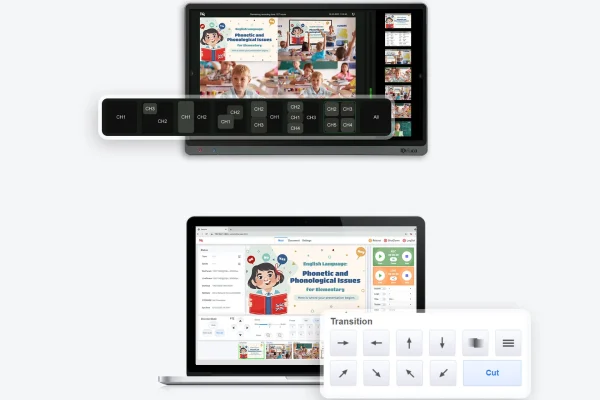
    8 layout modes are available to meet diverse viewing and command needs. Whether you’re setting up a small classroom presentation or a large broadcast, you can customise the layout to best suit the scene.


    11 transition effects provide a smooth and natural switch to enhance the viewing experience. It also supports customisation of subtitles, station logos, opening and closing credits and other graphic elements.

    Stable and flexible recording

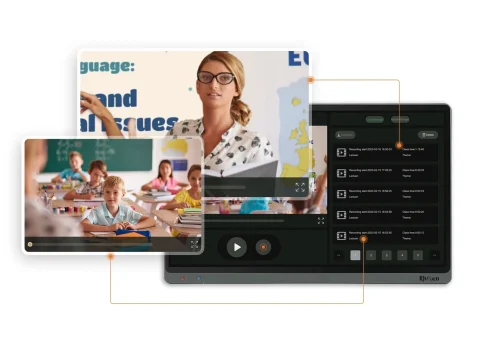
    The LCS810 offers the flexibility to record up to 4K UHD resolution. Whether it’s segmented recording, scheduled recording, simultaneous recording of film channels and source channels, the LCS810 offers great flexibility in arranging and organising your video. The system integrates a 1TB hard disc to ensure long time continuous recording. This storage capacity can accommodate large files, recordings and video content.
    iqvideolcs810_09
    iqvideolcs810_10

    Live learning without location limitation

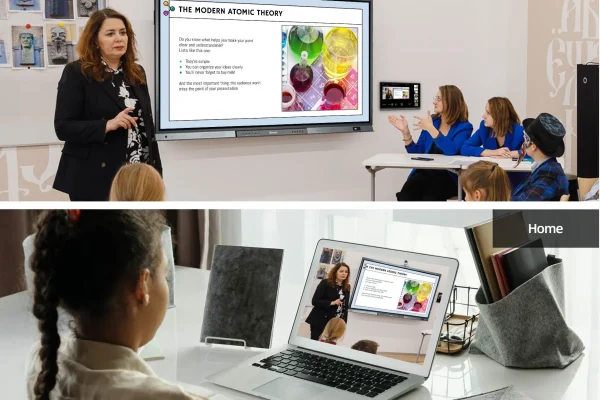
    The LCS810 is equipped with the capability to facilitate live streaming via a range of protocols, including RTMP and HLS. Thus, it is readily compatible with diverse third-party platforms from YouTube to Vimeo, the system integrates seamlessly with your preferred service and systems. It offers a convenient way to construct a remote or flipped classroom for students to engage in online learning.

    1v9 low latency remote interaction

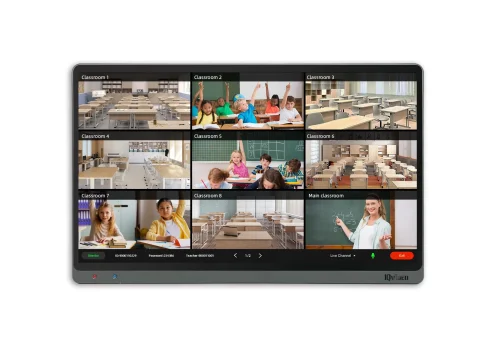
    The LCS810 comes with a 5-port gigabit switch (including 3 POE ports) , making it easier to set up with interactive stability. In addition, the system includes a low-latency interactive module that allows HD remote interaction with up to 10-party. It is suitable for engaging, high-definition remote interaction experience in app free scenarios. Remote interaction for over 10 parties are also possible with external MCU servers.
    iqvideolcs810_17
    iqvideolcs810_18

    Swift access to mainstream online conferencing software

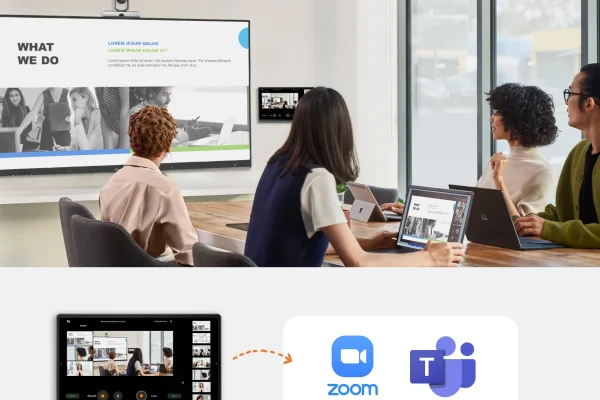
    The LCS810 is equipped with a built-in UVC output, which is capable of supporting the UVC/UAC protocol. It can be driver-free through the host USB output, providing video and audio, and can be connected to third-party online conferencing software, such as Zoom or Teams, facilitating rapid access to online teaching and conferencing.

    Smooth audio processing

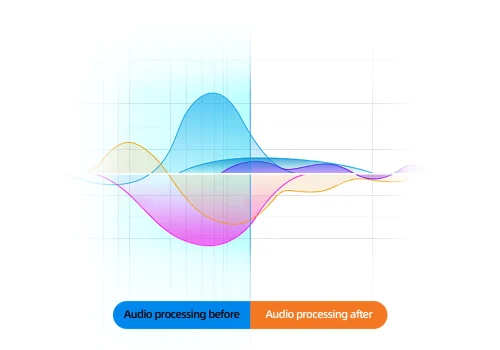
    With built-in audio processing module, LCS810 supports sound feedback cancellation, sound echo cancellation, automatic mixing, noise suppression, and audio matrix to ensure smooth, silky, stable sound experience for remote interaction. It also supports wireless microphone, linear input audio signal pickup and local sound reinforcement.
    iqvideolcs810_21
    iqvideolcs810_22

    High stability for durable use

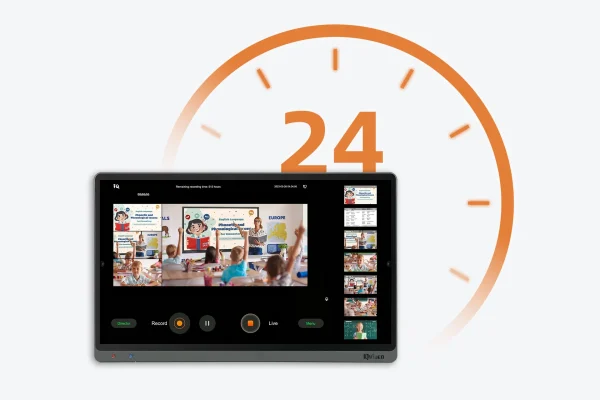
    Powered by a porwerful ARM quad-core processor to ensure 24/7 continuous use, so it is ideal for environments where you need to keep recording for an extended time.

    FAQs

    The LCS810 is a multifunctional integrated lecture recording system designed to ensure high-quality video capture and seamless online learning capabilities for various needs. It is ideal for hybrid classroom solutions, corporate training, and government initiatives, ensuring every participant receives a high-quality experience regardless of location. Its user-friendly interface and stable performance are powered by a 4-core CPU and large storage.

    The LCS810 records and streams at up to 4K UHD resolution (3840×2160 pixels via HDMI). This high-definition video capture ensures exceptional clarity for both recorded content and live broadcasts, making details vivid and engaging for viewers. To determine compatibility with existing displays, verify that your display supports 4K resolution via an HDMI input.

    The LCS810 supports live streaming via protocols such as RTMP and HLS, making it compatible with popular platforms like YouTube and Vimeo. For online learning integration, it also offers swift, driver-free access to mainstream online conferencing software, including Zoom and Microsoft Teams, through its built-in UVC output. This broad compatibility ensures versatile lecture streaming options.

    Yes, the LCS810 enables multi-party interactive video conferencing for up to 10 participants with its optional low-latency interactive module, all without the need for an external MCU server. For integrating, the system includes a 5-port gigabit switch, with three POE ports, to ensure stable interactive connections.

    The LCS810 features an optional built-in audio processing module that supports sound feedback cancellation, echo cancellation, automatic mixing, noise suppression, and an audio matrix for a smooth, stable sound experience. This ensures clear audio recording, even when integrating a wireless microphone or linear input audio signals. For best practices, consider adding up to two external microphones for optimal voice pickup.

    The system comes with a 1TB high-speed hard drive for extensive lecture storage, which is also expandable to meet growing needs. It supports common video recording formats such as MP4 and TS, ensuring compatibility with most video editing software for post-production flexibility.

    The LCS810 integrates a 15.6-inch high-definition touch screen for direct, intuitive lecture control. This display streamlines complex processes with access to 8 layout modes and 11 transition effects for customised presentation management. Additionally, it supports HID reverse control, allowing connected computers to be managed directly through the terminal.

    The LCS810 features an HDMI interface supporting up to 3840×2160 resolution for high-quality video output. It also includes a built-in UVC output for driver-free USB connections, facilitating swift access to third-party online conferencing software. The integrated 5-port gigabit switch (with 3 POE ports) simplifies network integration and power transmission over a single cable.

    To expand audiovisual capabilities, the LCS810 is compatible with recommended cameras such as the 4K PTZ Camera CV870 Pro and the 4K ePTZ Camera CV210, which offer high resolution and various zoom options. For enhanced audio, the system supports adding up to two external microphones, with the Ceiling Microphone S610 or Ceiling Microphone S210 being suitable choices for wider voice pickup.

    The LCS810 is engineered for high stability, powered by a powerful ARM quad-core processor to ensure 24/7 continuous use. This robust design allows the system to operate without compromising stability or performance, making it an ideal 24/7 recording system for environments requiring extended recording times and consistent stable lecture capture.
    IQTouch SW1 Basic Digital Signage

    IQTOUCH

    SW1 BASIC

    Commercial Signage Built for Impact, Reliability, and Simplicity

    IQTOUCH SW1 BASIC

    Commercial Signage Built for Impact, Reliability, and Simplicity

    IQTouch Digital Signage

    Activate your space with IQTouch Digital Signage, revolutionizing communication with cutting-edge technology and sleek design.

    SW Series Wall-mounted Digital Signage Display

    SW Series Wall-mounted Digital Signage Display

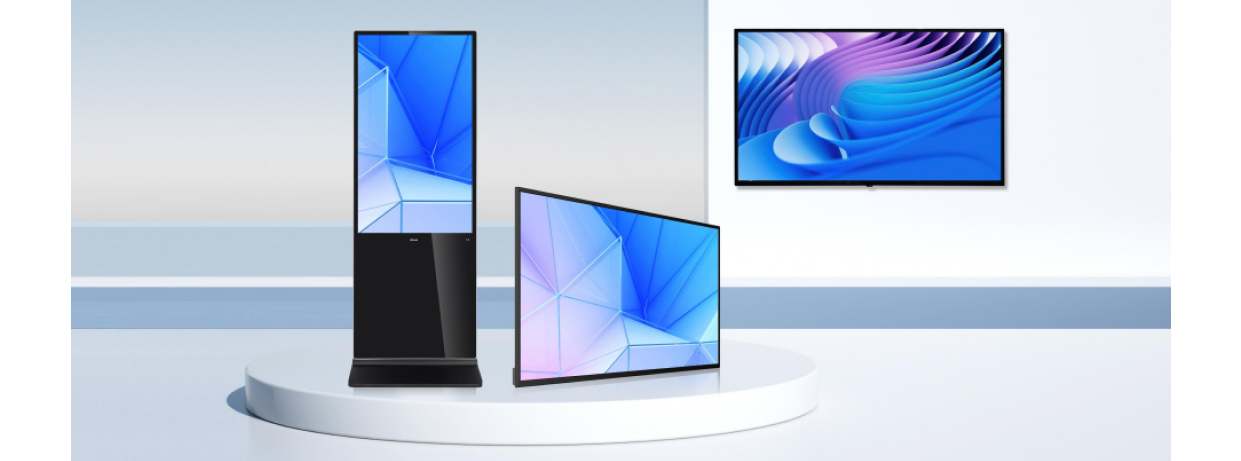
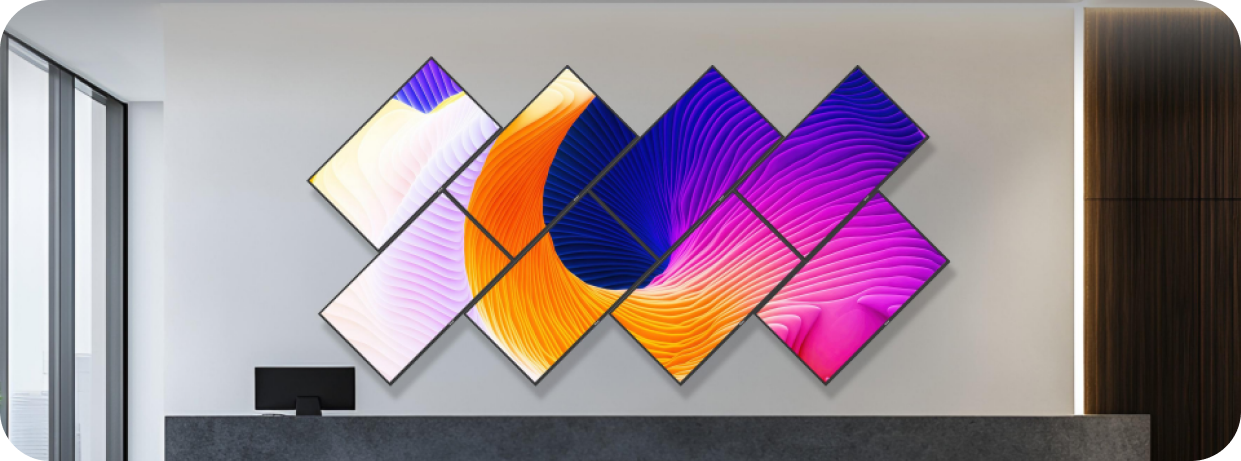
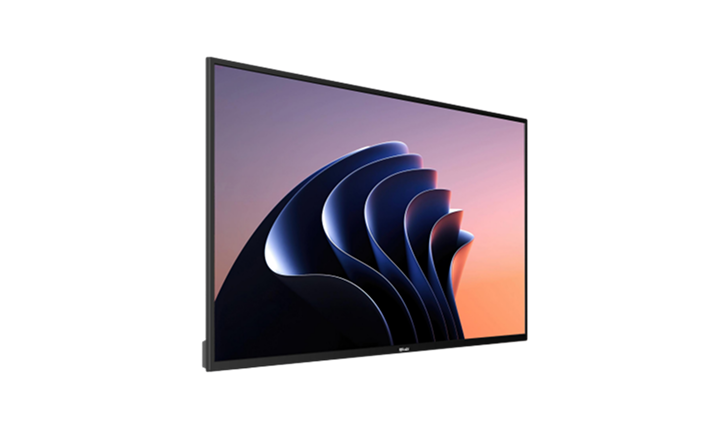
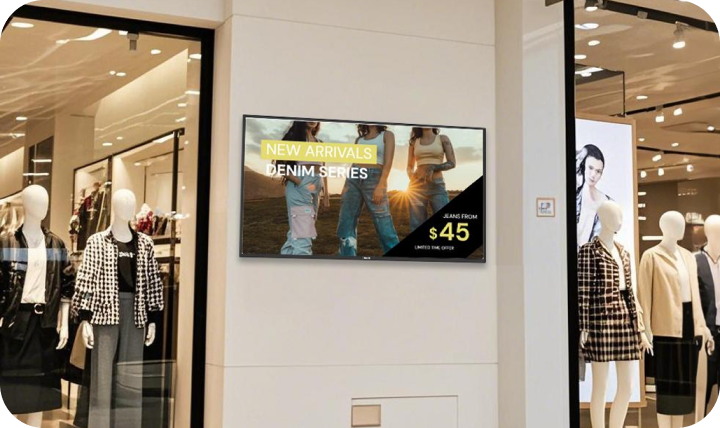
    Elevate communication in diverse environments with vibrant 4K resolution, and a sleek design, ideal for applications in retail stores, educational institutions, and corporate offices.

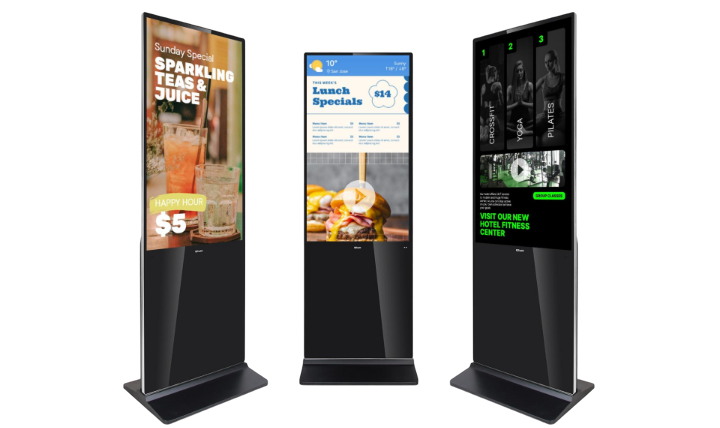
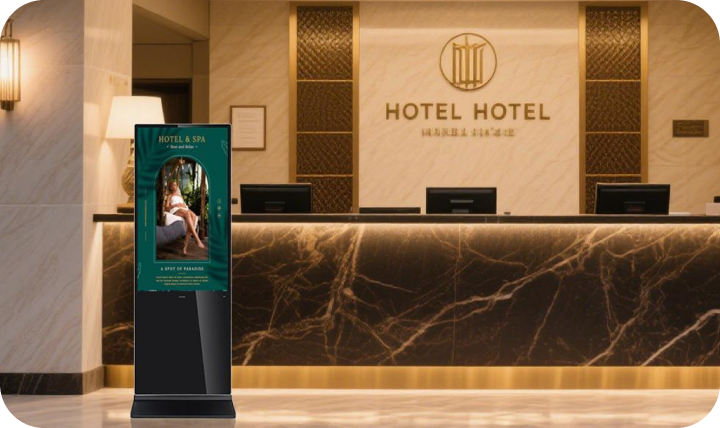
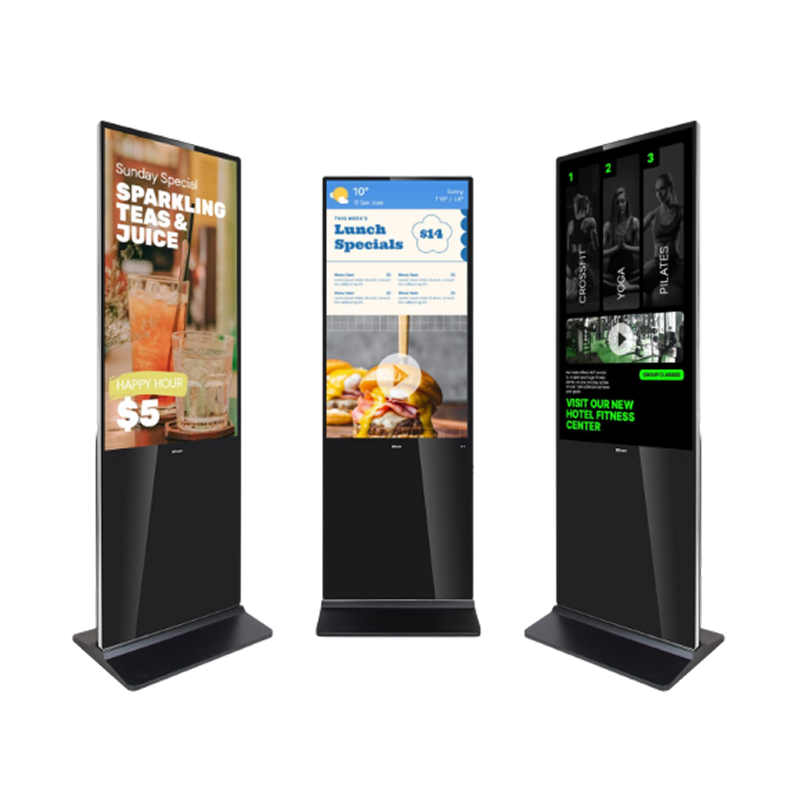
    SF Series Freestanding Digital Signage Display

    SF Series Freestanding Digital Signage Display

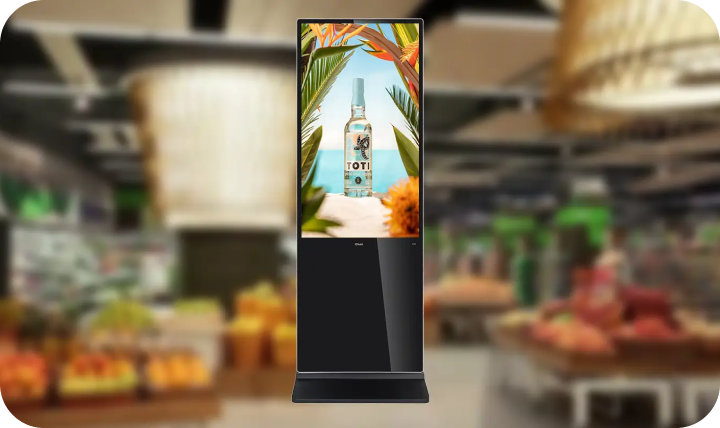
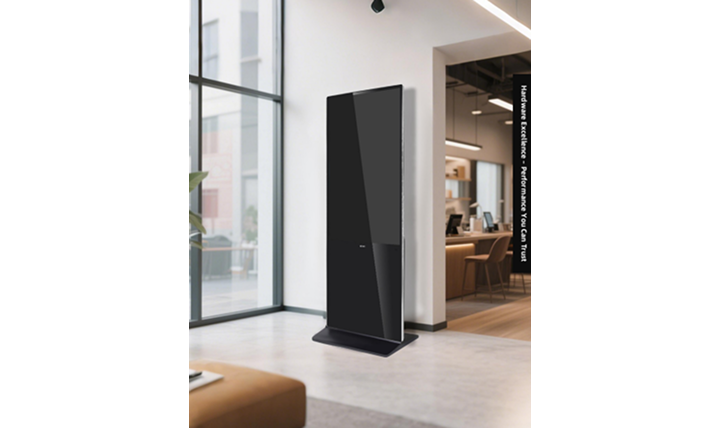
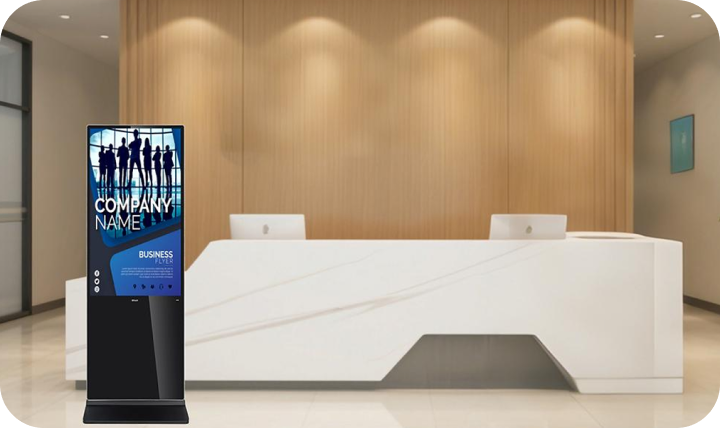
    Make a statement with stunning 4K UHD resolution, capacitive touch technology, and a sleek all-in-one design, perfect for captivating audiences in vertical advertising displays at shopping malls, airports, and public spaces.

    Pure Display Models

    Digital Signage basic models deliver more than just sharp visuals. With premium components, flexible CMS tools, and professional-gradereliability, these displays offer a ready-to-deploy digital signage solution that meets and exceeds today’s market standards—ideal for retail, education, corporate, and public sectors.

    Pure Display Models

    Stunning UHD Visuals That Command Attention

    Enjoy immersive clarity with up to 4K UHD resolution, high brightness (500cd/m²), and 1.07 billion rich colors, ensuring lifelike detail
    and vibrancy—even in brightly lit indoor spaces.

    Stunning UHD Visuals That Command Attention
    24/7 Commercial-GradeDurability

    24/7 Commercial-GradeDurability

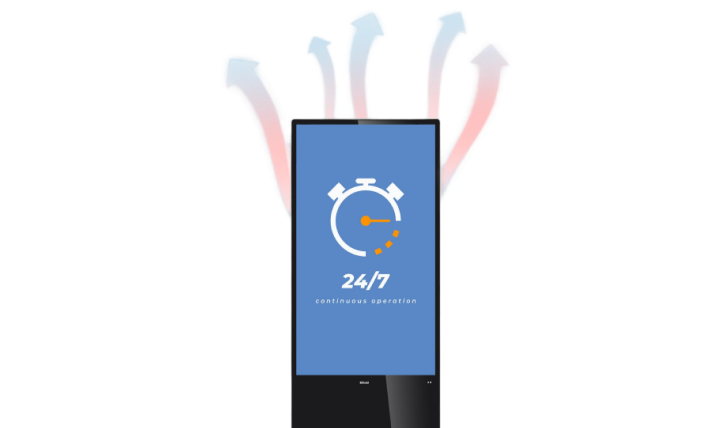
    Designed for non-stop performance, the all-metal housingand efficient thermal design support 24/7 continuous operation in busy, high-traffic environments.

    Network-Ready & Secure

    Equipped with WiFi module and LAN port, these displays integrate seamlessly into connected environments while offering secure, scalable management.

    Network-Ready & Secure
    Universal Connectivity

    Universal Connectivity

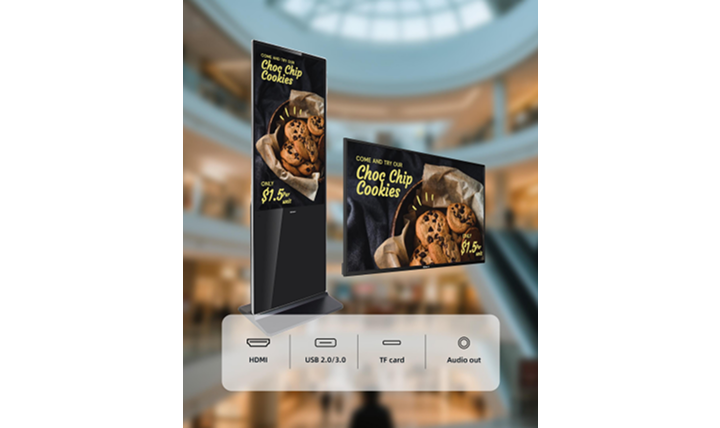
    Multiple interfaces (HDMI, USB 2.0/3.0, TF card, Audio out) allow compatibility with external players, CMS systems, or automation setups. Guarantee smooth integration with diverse AV ecosystems—flexiblefor IT teams and installers.

    Built-In Stereo Speakers

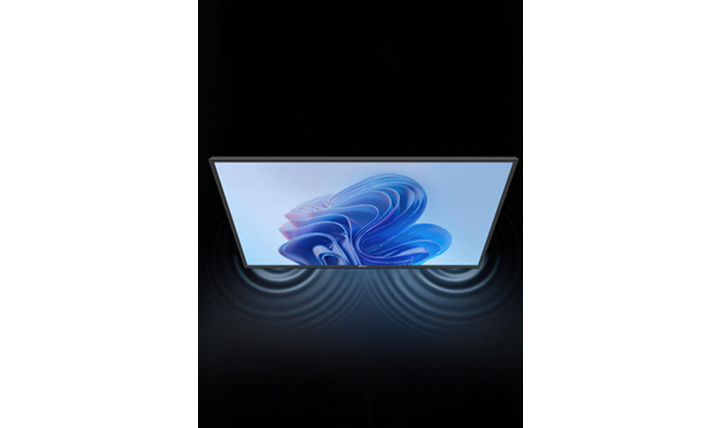
    Dual 10W speakers ensure integrated sound without needing extra hardware—ideal for playback of audio promos, welcome messages, or videos.

    Built-In Stereo Speakers
    Ultra-Slim,Modern Design

    Ultra-Slim,Modern Design

    With equal-width bezels on all four sides and a sleek rounded-corner frame, the display offers a balanced, contemporary look that’s both visually appealing and safer for public-facing spaces.

    Energy-Efficient and Eco-Friendly

    Featuring low power consumption (≤0.5W standby), optimized LED backlighting, and intelligent power management systems for long-term deployment.

    Energy-Efficient and Eco-Friendly

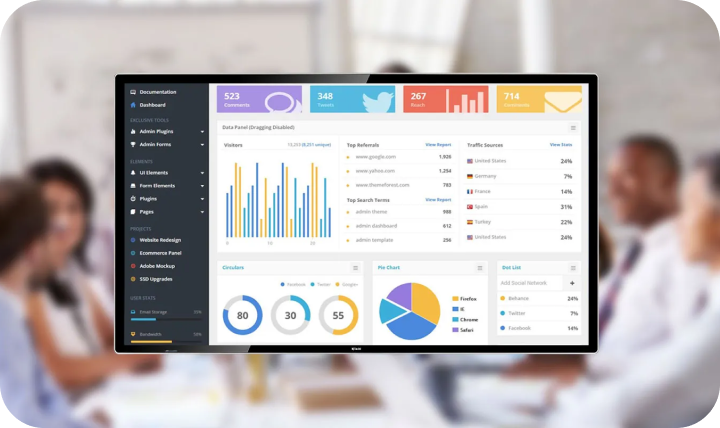
    Remote Device Monitoring & Management

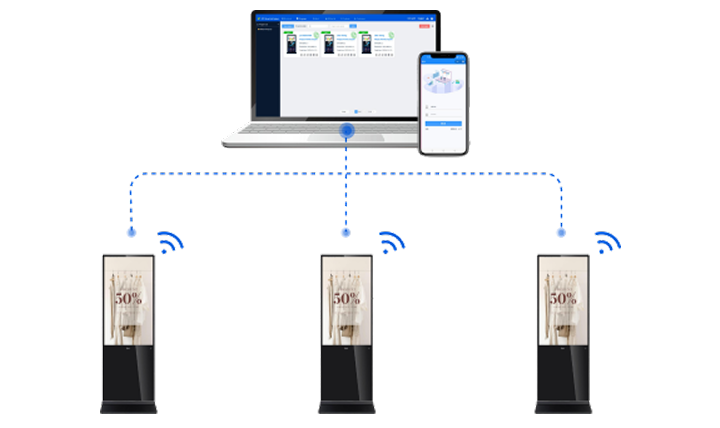
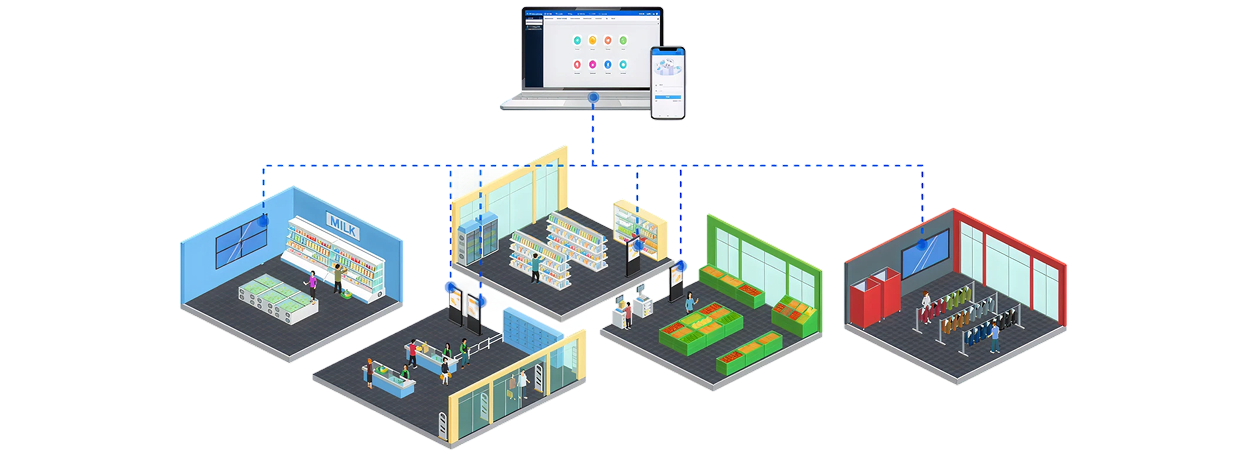
    Allow users to remotely control, monitor, and content update all connected signage terminals in real time. Manage content from PCs or mobile devices—whether on iOS, Android, or Windows. Choose between cloud or local deployment, and enjoy full functionality with no license fees required.

    Remote Device Monitoring & Management
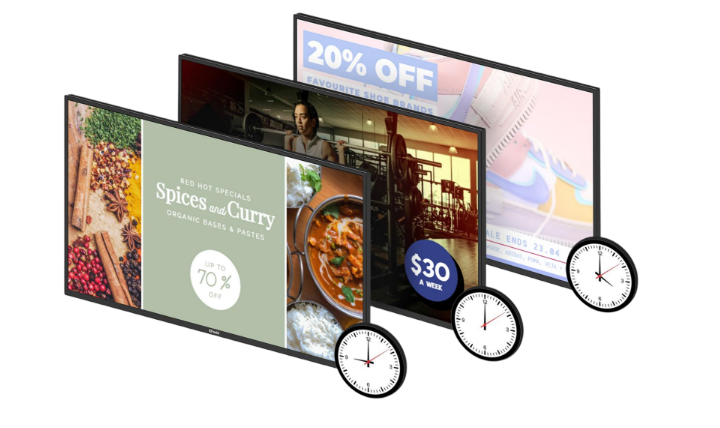
    Scheduled and Adaptive Content Playback

    Scheduled and Adaptive Content Playback

    With multiple playback modes—including scheduled, default, interrupt (spot), append, and simulcast—users
    can tailor when and how content is displayed across
    multiple screens. Advanced scheduling supports daily
    and weekly timelines, ensuring the right message
    plays at the right time.

    Flexible Program Design with Drag-and-Drop Widgets

    Create engaging content easily with drag-and-drop widgets for images, videos, live streams, weather, web pages, and more. The split-screen layout builder lets you divide the screen into zones for multi-content playback, and even add interactive elements.

    Flexible Program Design with Drag-and-Drop Widgets

    Your Message.
    Delivered Where It Matters Most

    Retail & Fashion

    Retail & Fashion

    Corporate Communication

    Corporate Communication

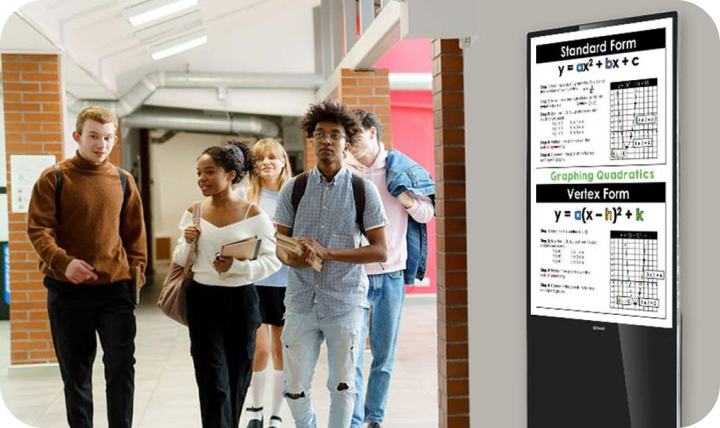
    Campus Messaging

    Campus Messaging

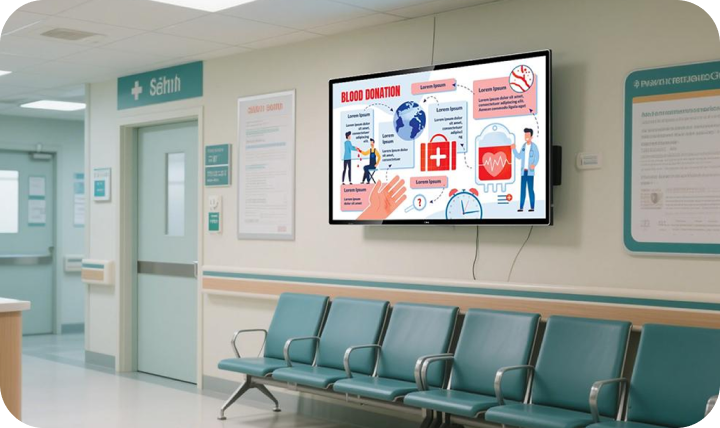
    Hospitals & Clinics

    Hospitals & Clinics

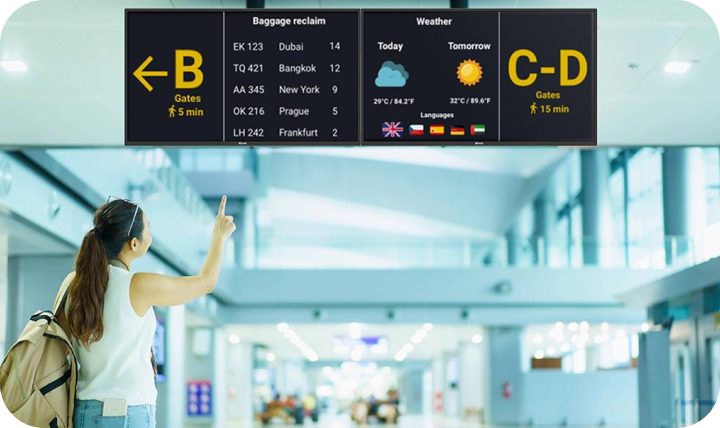
    Transit & Wayfinding

    Transit & Wayfinding

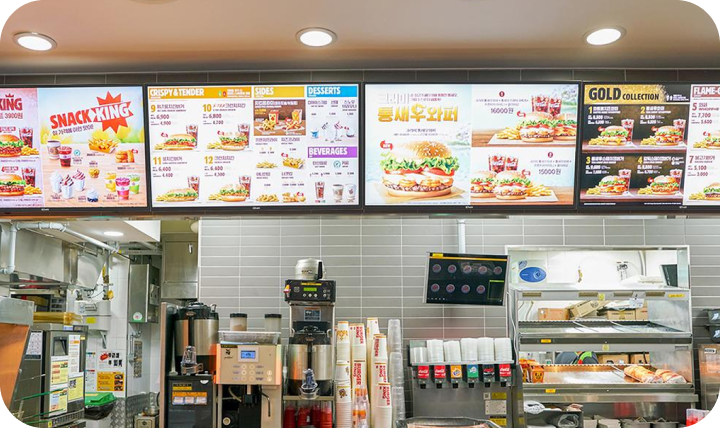
    Quick Service Restaurants

    Quick Service Restaurants

    Hotel

    Hotel

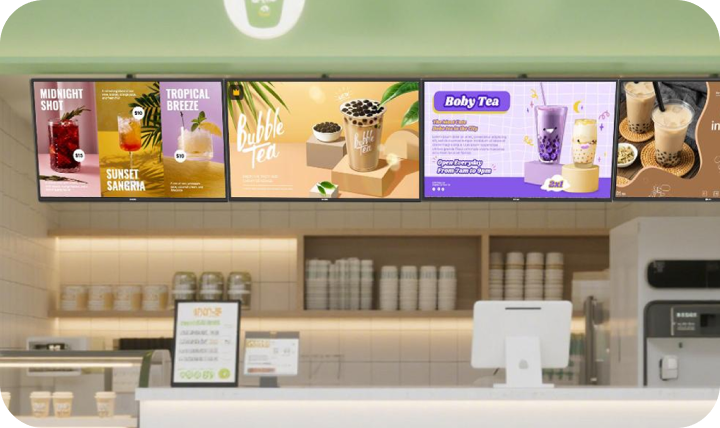
    Bubble tea shop

    Bubble tea shop

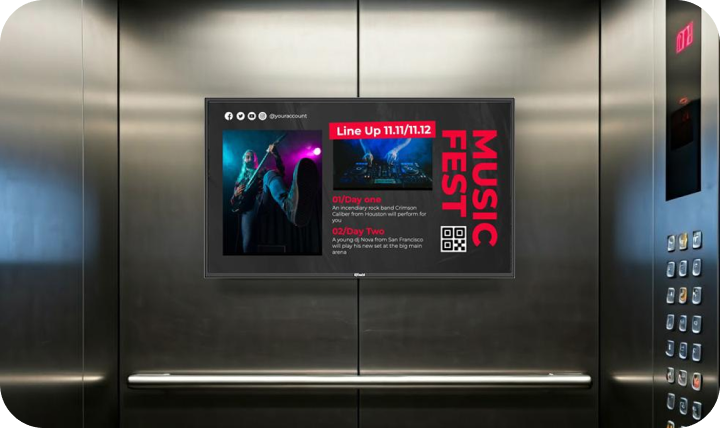
    Elevator

    Elevator

    Resource for you

    IQTouch Digital Signage SW1 Basic Brochure

    IQTouch Digital Signage SW1 Basic Specification

    IQTouch Digital Signage SW1 Lite Specification

    IQTouch SF1 Basic

    IQTouch SF1 Basic

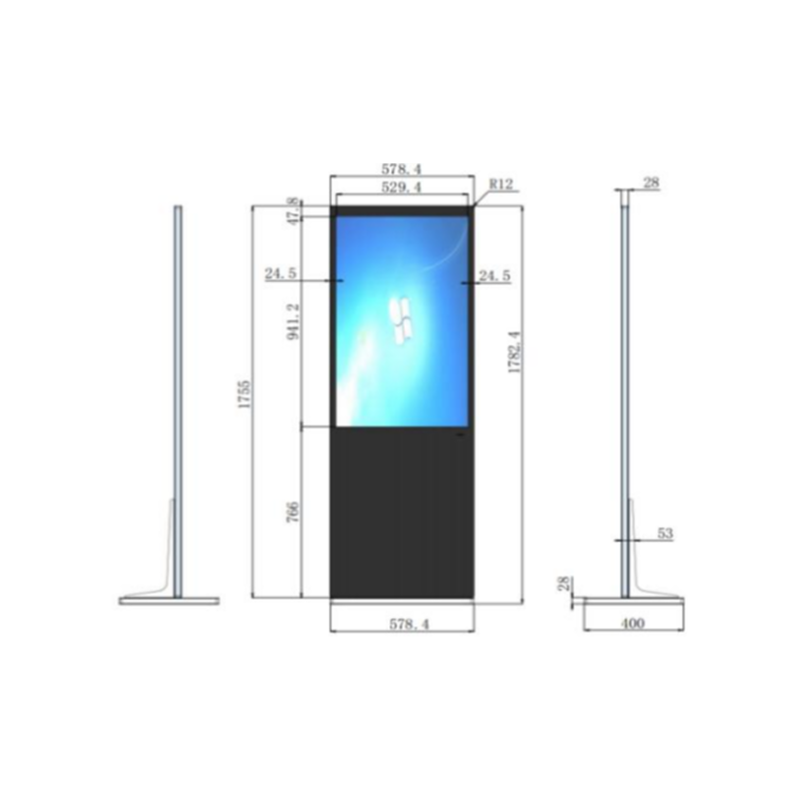
    Freestanding Digital Signage Display

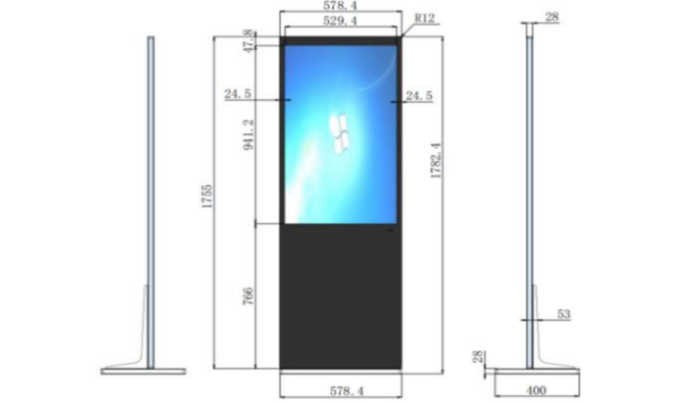
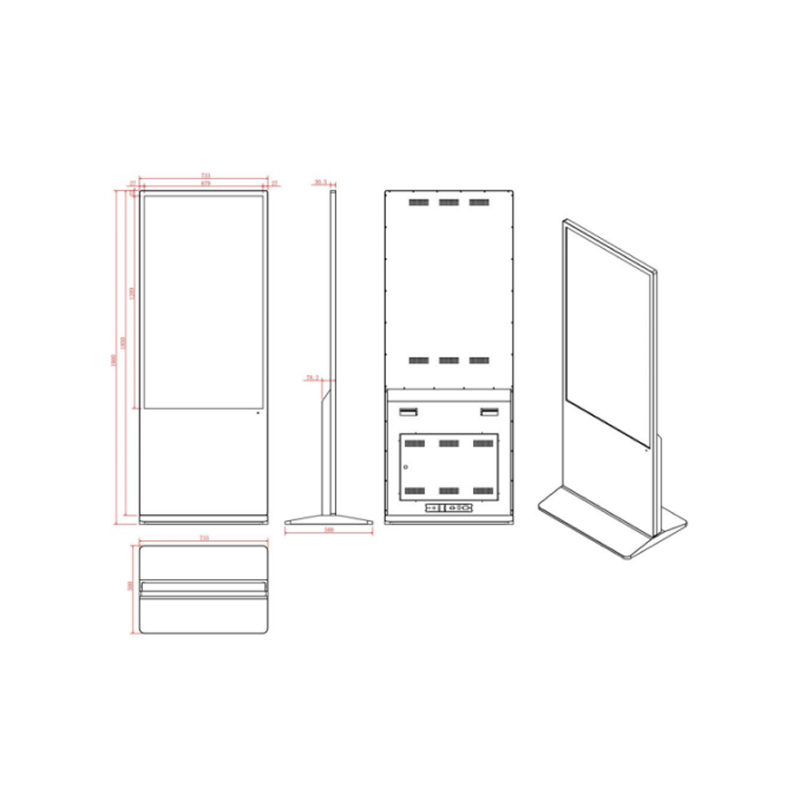
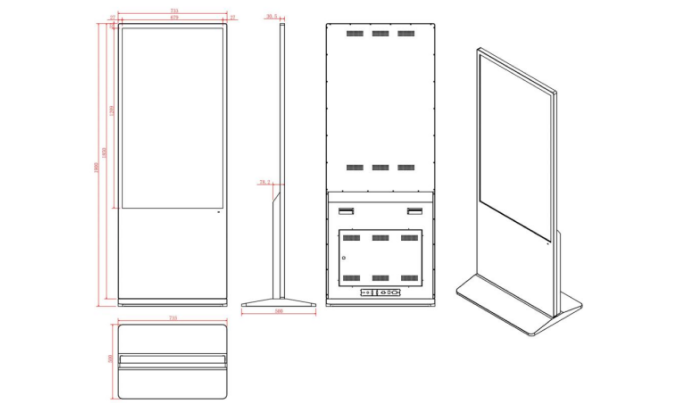
    Make a statement with stunning 4K UHD resolution, capacitive touch technology, and a sleek all-in-one design, perfect for captivating audiences in vertical advertising displays at shopping malls, airports, and public spaces.

    IQTouch SF1 Basic

    Freestanding Digital Signage Display

    Make a statement with stunning 4K UHD resolution, capacitive touch technology, and a sleek all-in-one design, perfect for captivating audiences in vertical advertising displays at shopping malls, airports, and public spaces.

    IQTouch Digital Signage

    Activate your space with IQTouch Digital Signage, revolutionizing communication with cutting-edge technology and sleek design.

    SW Series Wall-mounted Digital Signage Display

    SW Series Wall-mounted Digital Signage Display

    Elevate communication in diverse environments with vibrant 4K resolution, and a sleek design, ideal for applications in retail stores, educational institutions, and corporate offices.

    SF Series Freestanding Digital Signage Display

    SF Series Freestanding Digital Signage Display

    Make a statement with stunning 4K UHD resolution, capacitive touch technology, and a sleek all-in-one design, perfect for captivating audiences in vertical advertising displays at shopping malls, airports, and public spaces.

    High-Definition Display with Powerful Performance and Seamless Connectivity

    • IPS high-definition LCD panel enables up to 1080P video and picture decoding and playback
    • Sleek and one-piece design with unique heat dissipation structure, support 24/7 continues work.
    • Built-in Android with various connectivity options, including HDMI input and multiple interfaces.
    High-Definition Display with Powerful Performance and Seamless Connectivity

    Resource for you

    IQTouch SF1 Basic Specification

    IQTouch SF1 Pro

    IQTouch SF1 Pro

    Digital Signage

    Capacitive touch ensures precise and smooth writing experience, fast response with strong anti-interference.

    IQTouch SF1 Pro

    Digital Signage

    Capacitive touch ensures precise and smooth writing experience, fast response with strong anti-interference.

    IQTouch Digital Signage

    Activate your space with IQTouch Digital Signage, revolutionizing communication with cutting-edge technology and sleek design.

    SW Series Wall-mounted Digital Signage Display

    SW Series Wall-mounted Digital Signage Display

    Elevate communication in diverse environments with vibrant 4K resolution, and a sleek design, ideal for applications in retail stores, educational institutions, and corporate offices.

    SF Series Freestanding Digital Signage Display

    SF Series Freestanding Digital Signage Display

    Make a statement with stunning 4K UHD resolution, capacitive touch technology, and a sleek all-in-one design, perfect for captivating audiences in vertical advertising displays at shopping malls, airports, and public spaces.

    Smart Touch. Sharp Vision. Built to Perform.

    • Capacitive touch ensures precise and smooth writing experience, fast response with strong anti-interference.
    • IPS high-definition LCD panel enables up to 2160P (43 inch is upto1080P) video and picture decoding and playback.
    • Sleek and one-piece design with unique heat dissipation structure, support 24/7 continues work.
    • Rich interfaces including HDMI input, support OPS with Windows system for third-party applications

    Resource for you

    IQTouch SF1 Pro Specification

    IQSound SA200

    IQ SOUNDBAR

    SA200

    Reliable and great-sounding audio source

    IQ SOUNDBAR

    SA200

    Reliable and great-sounding audio source

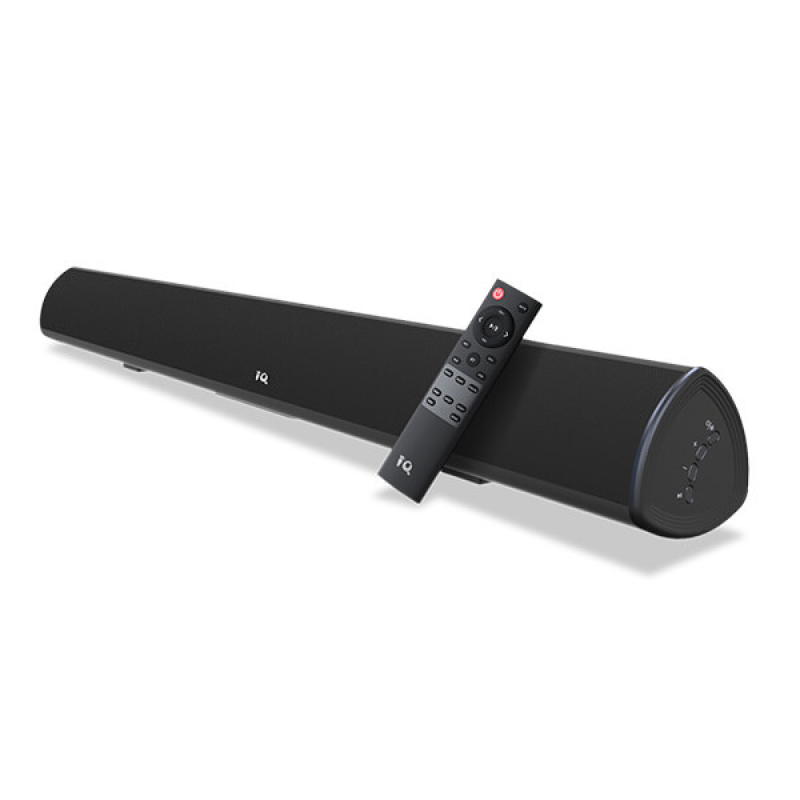
    IQ SOUNDBAR SA200

    IQSound really are a must-have accessory for today’s meeting room and classroom.

    The IQ Soundbar option is a must have to bolster the sound in a bigger meeting room or classroom.

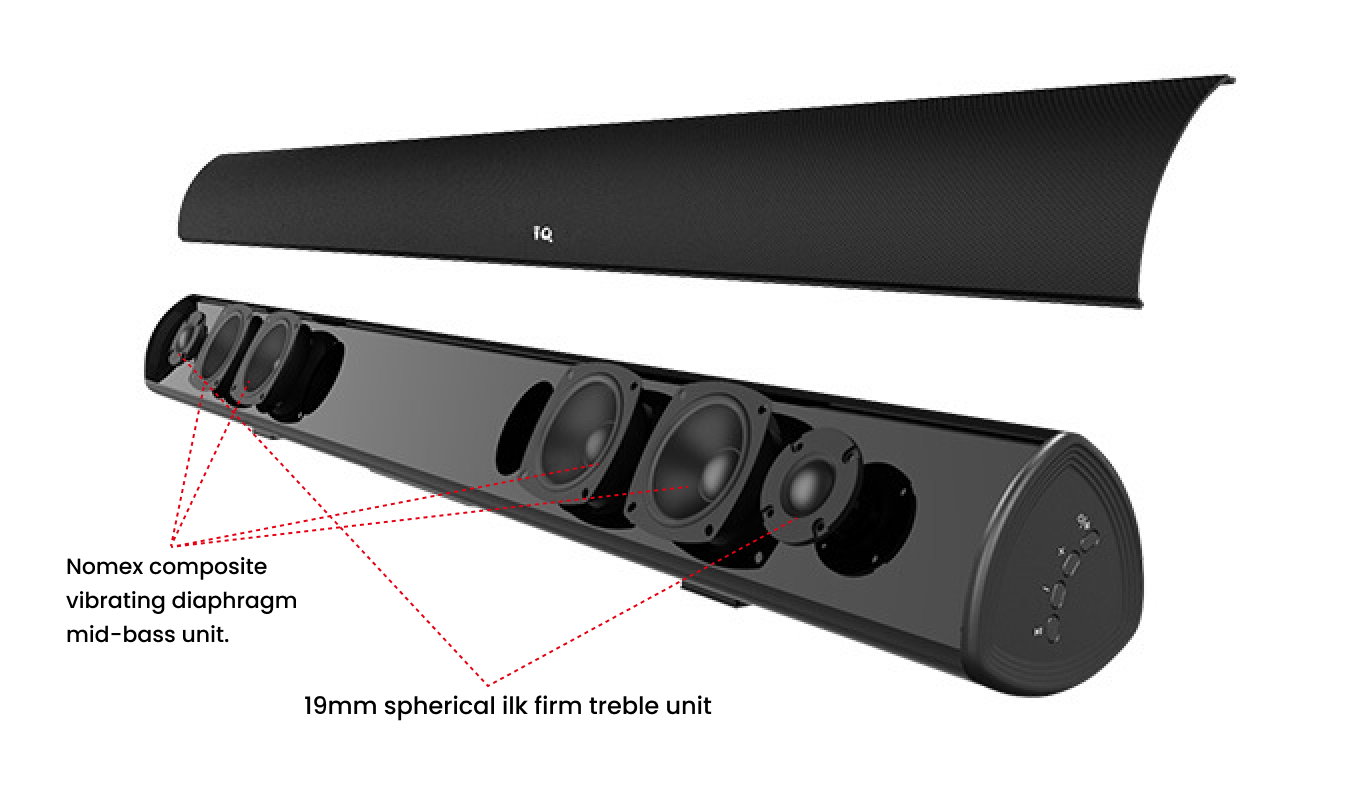
    Nomex composite vibrating diaphragm. Due to it being lightweight, it has a rapid transient response without the loss of detail.
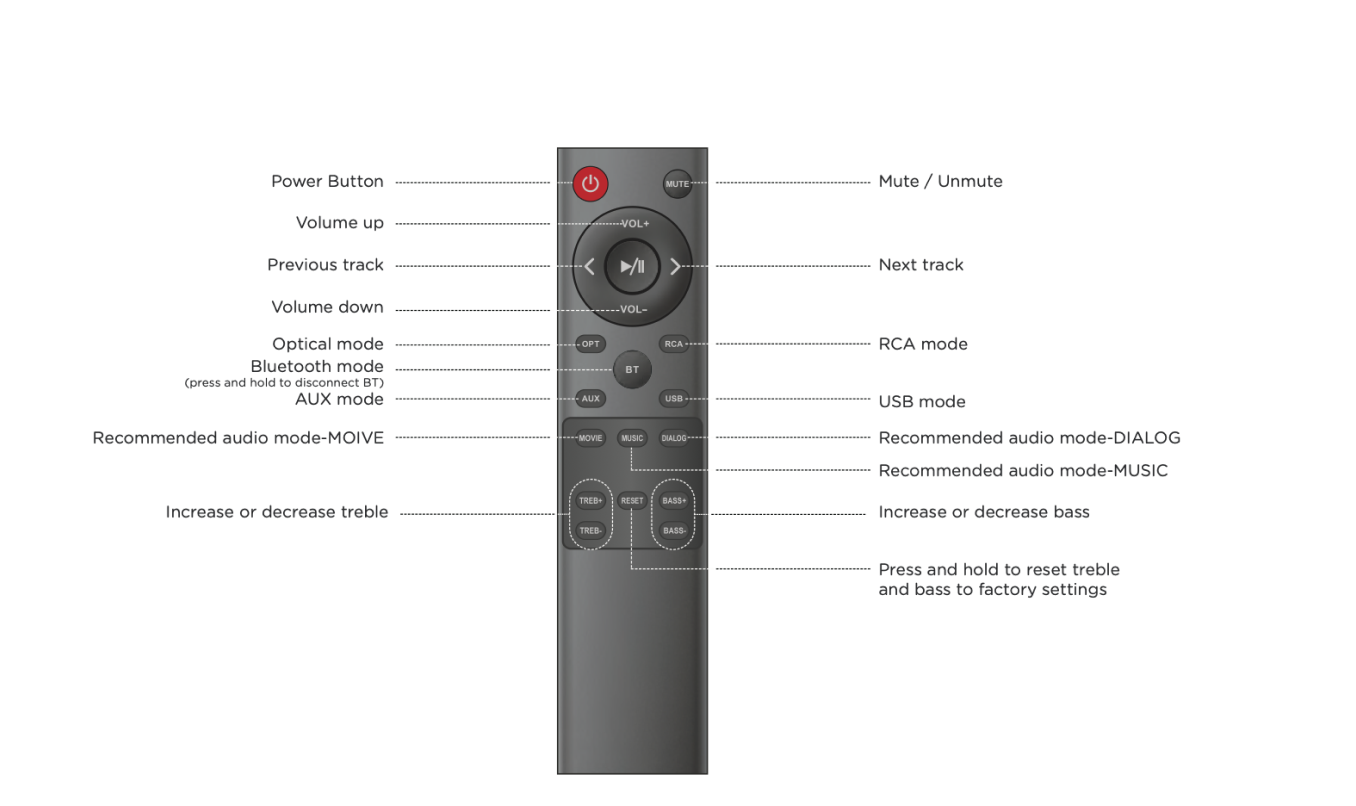
    Diverse sound effect modes. Choose devices by a hassle-free connection, different LED colours represent different modes.

    Resource for you

    SA200 Brochure

    SA200 User Manual

    IQSpeakerphone S600

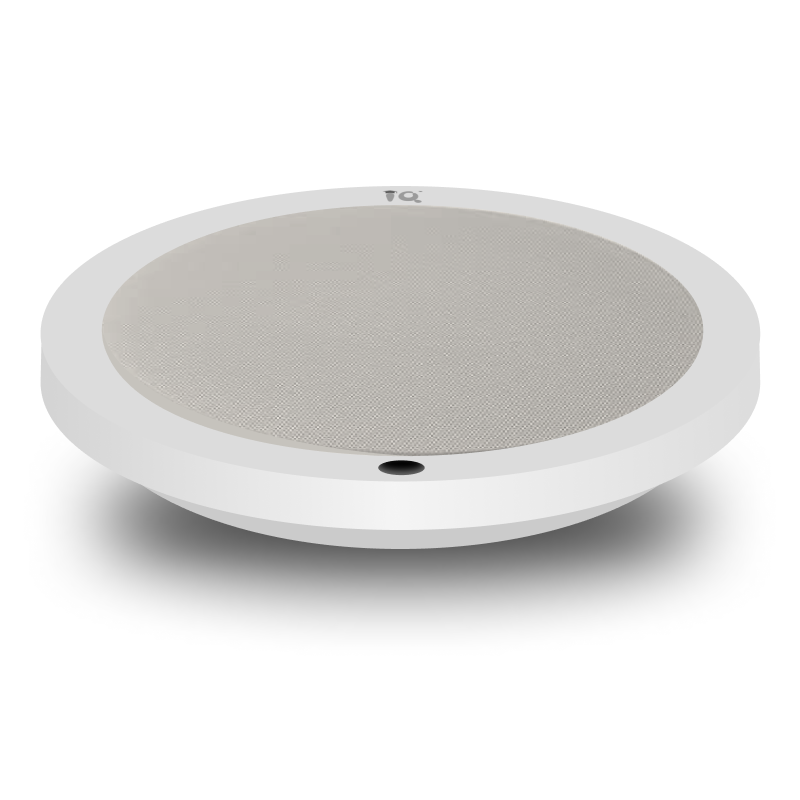
    IQ Ceiling Microphone S600

    Ceiling Microphone

    IQ Ceiling Microphone S600

    Ceiling microphone

    Optimized sound reinforcement

    Free the teacher from carrying microphones, convenient for them to move around the classroom during teaching.

    Circular microphone array

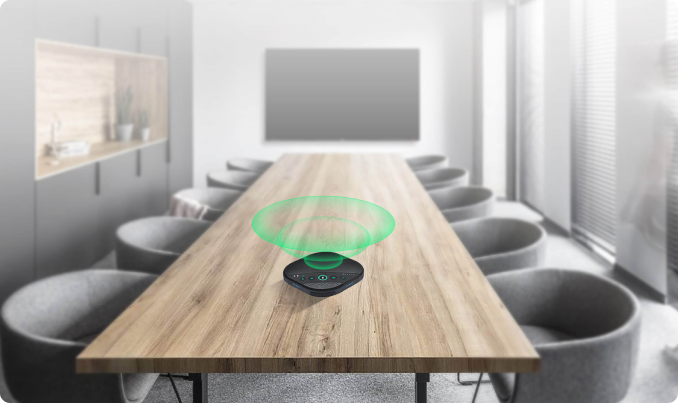
    6 microphone beamforming array with 360° omnidirectional sound pickup, speakers within the area can be heard clearly. 

    Industry-leading technology

    Embedded advanced algorithm for noise cancelling, acoustic echo cancellation (AEC), automatic gain control (AGC) and de-reverberation. Easy to listen in noisy environments.

    Simple deployment & maintenance

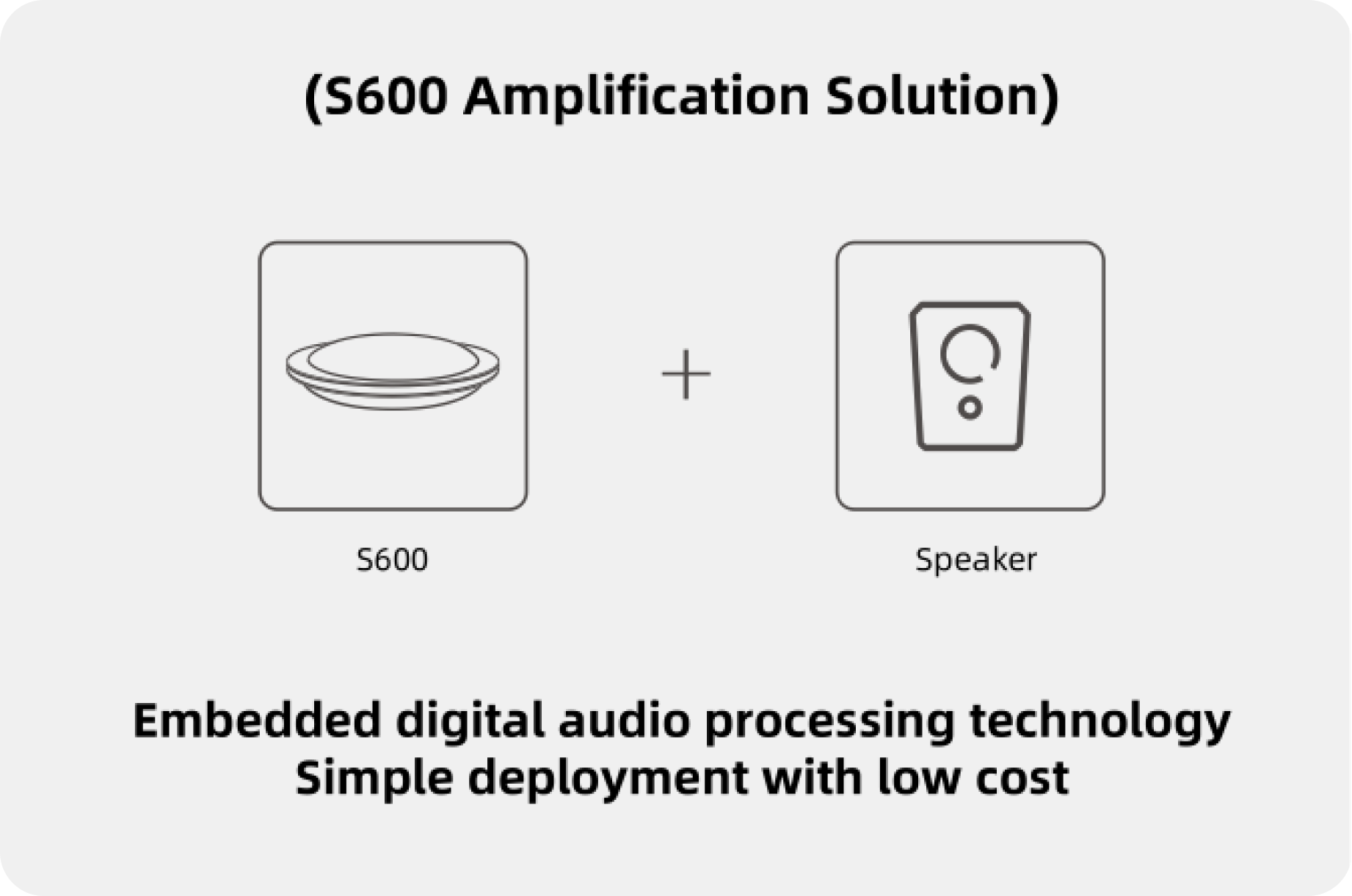
    Built-in powerful audio processing unit, which can be installed and deployed quickly and at low cost without professional training.

    Application scenario

    Meeting Room

    Lecture Hall

    Court Room

    Classroom

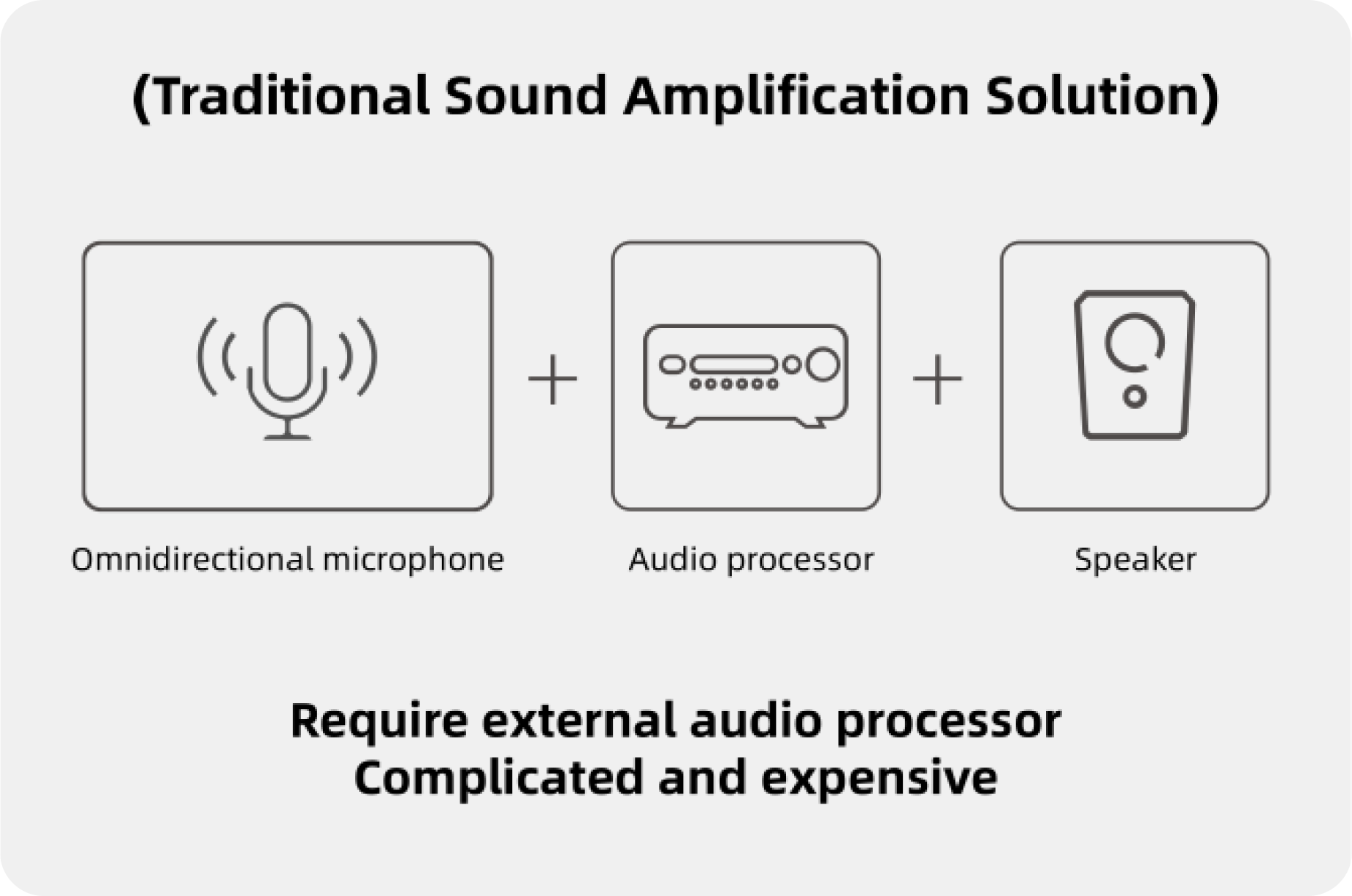
    S600 VS Traditional sound amplification solution

    Resource for you

    S600 Brochure

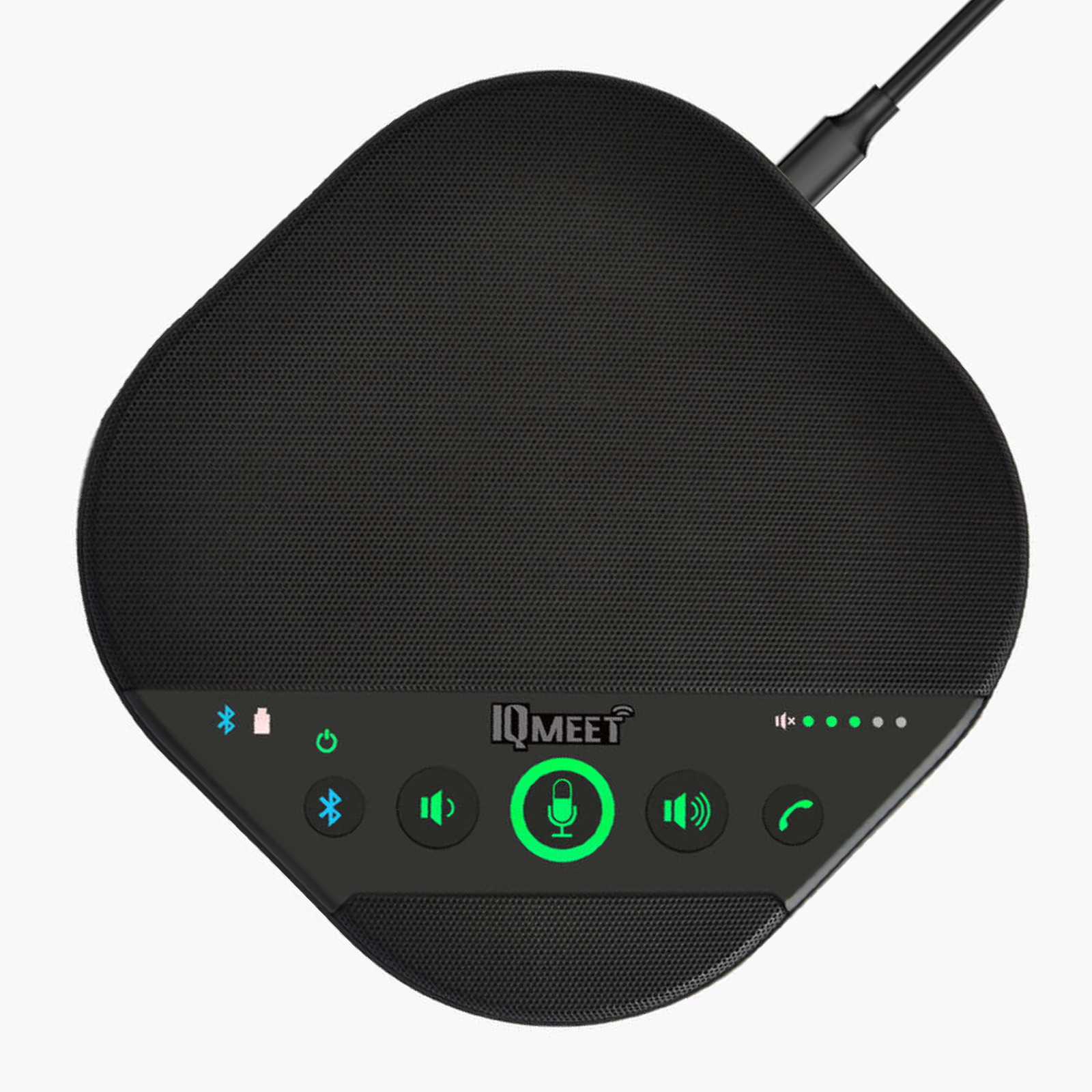
    IQSpeakerphone S330

    IQSPEAKERPHONE S330

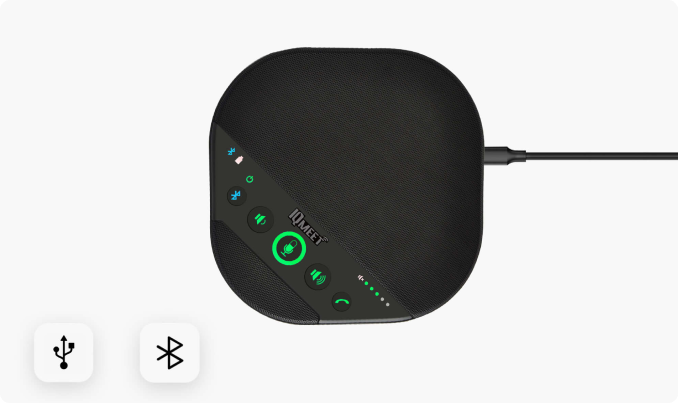
    Professional-grade bluetooth conference speakerphone

    IQSPEAKERPHONE S330

    Professional bluetooth conference speakerphone

    Omni-directional audio pickup

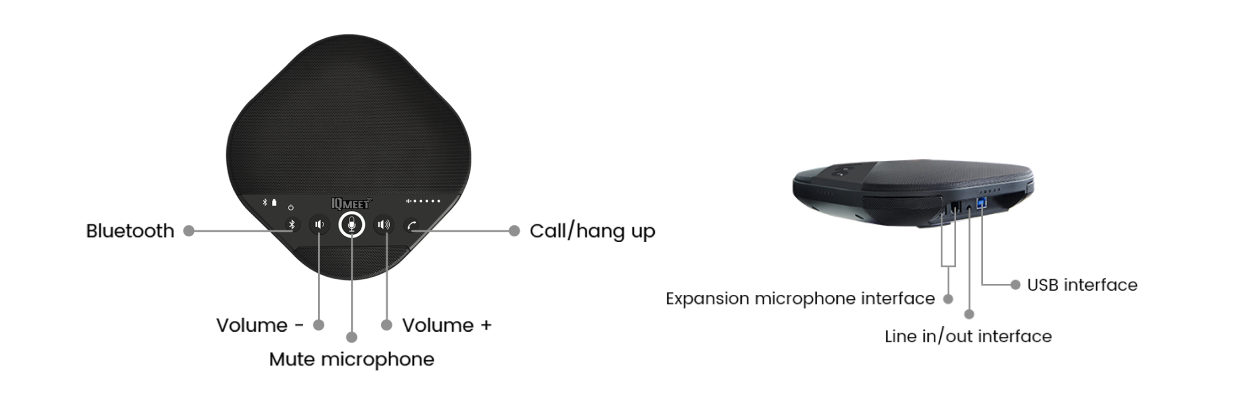
    Bluetooth, USB & AUX

    Beamforming technology Echo cancellation
    & noise reduction

    Built-in 4 microphone arrays

    2 optional expansion mics

    Omni-directional audio pickup

    Bluetooth, USB & AUX

    Beamforming technology Echo cancellation & noise reduction

    Built-in 4 microphone arrays

    2 optional expansion mics

    360° omni

    Directional sound pickup
    With 4 built-in microphone arrays, S330 supports 360-degree omni-directional audio pickup distance of 5 meters. Plus two optional expansion microphones, the pickup distance can reach 6 meters. It’s convenient to set up your meeting room size.

    Immersive audio experience

    Built-in echo cancellation algorithm to ensure full duplex audio and offer pleasant teleconferencing experience. With dynamic noise suppression and automatic gain control, S330 allows you to hear and to be heard clearly as if it’s face to face communication.

    Seamless connection

    Connect to your laptop, smart phone or tablet via Bluetooth, a USB cable or an audio cable with intuitive plug-and-play operation. It’s simple to install and easy to use, just connect the USB cable or pair with your bluetooth device, and your meeting could start in seconds.

    Rich compatibility

    All IQSpeakerphones are compatible with most mainstream VC platforms, such as Skype for Business, Zoom, WebEx and so on. We provide excellent audio quality for both you and those on the other end of the call – no matter your platform of choice.

    Product Details

    Resource for you

    S330 Brochure

    S330 User Manual

    IQSmartPen

    IQ SMARTPEN

    SP200

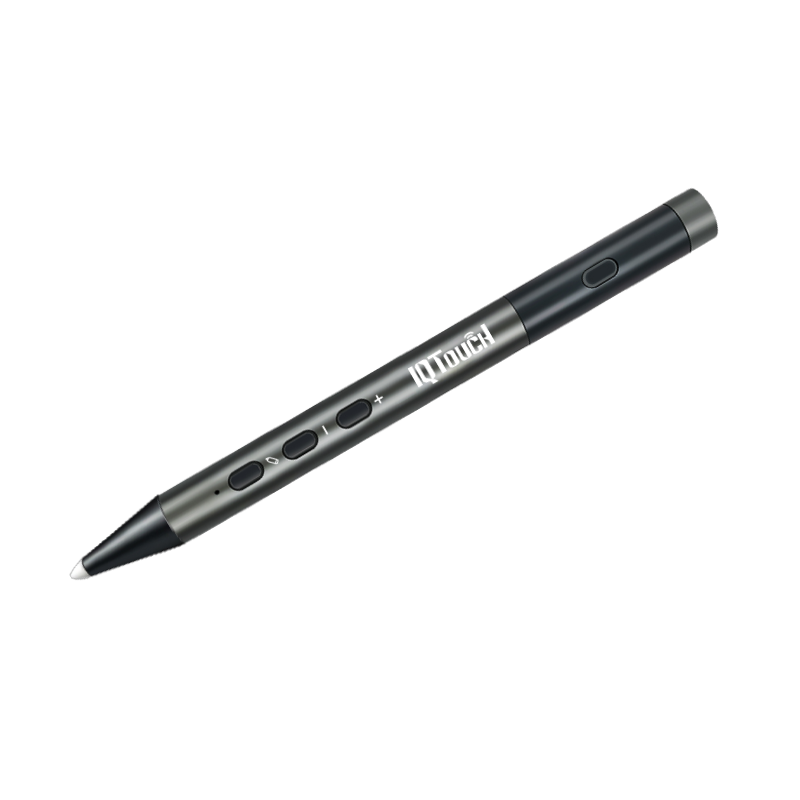
    Your presentation assistant for a productive meeting & interactive teaching
    - Windows compatible
    - Customizable Q Button
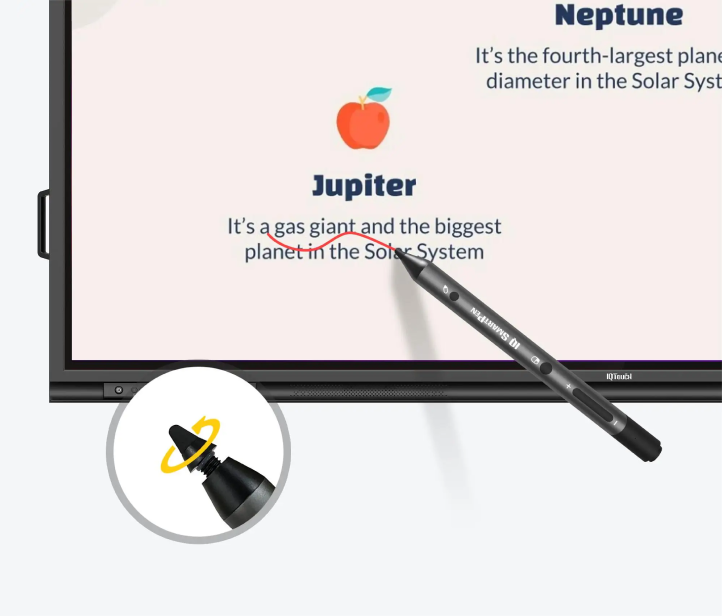
    - 3mm Nano PenTip
    - 2.4G wireless transmission

    SP200

    Your presentation assistant for a productive meeting & interactive teaching

    • Windows compatible
    • Customizable Q Button
    • 3mm Nano PenTip
    • 2.4G wireless transmission

    Color Switch

    Screenshot

    Wireless Presenter

    Blackboard

    Eraser

    Eraser

    Annotation

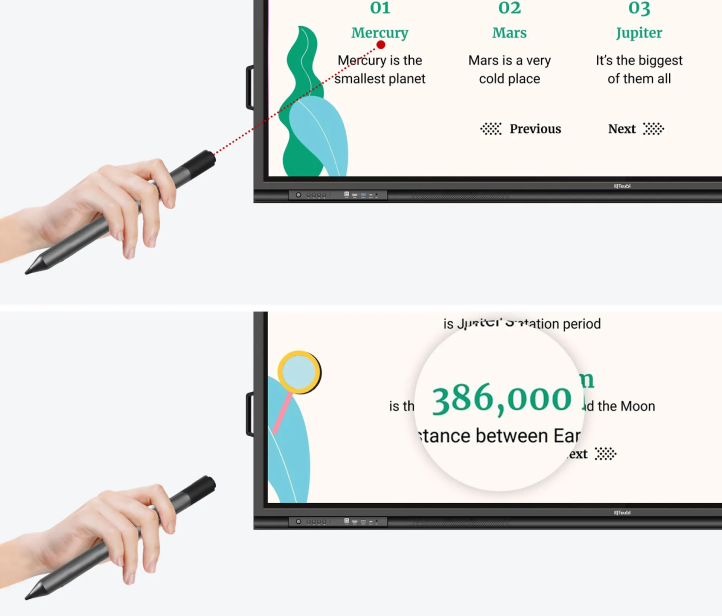
    Digital Laser Pointer

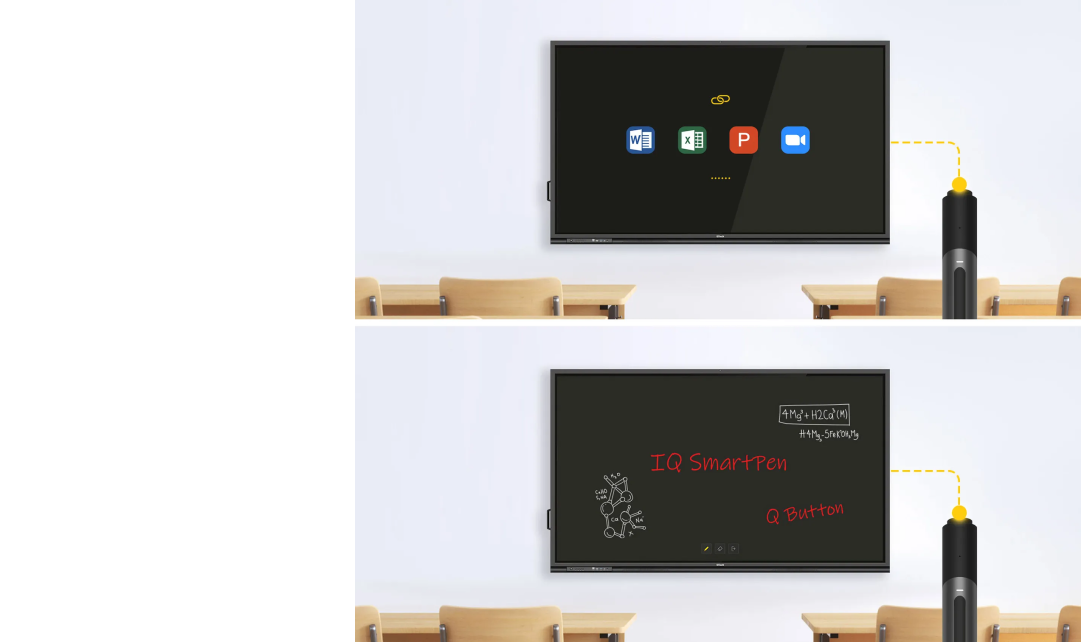
    Hyperlink

    Hyperlink

    Spotlight

    Magnifier

    Color Switch

    Screenshot

    Wireless Presenter

    Blackboard

    Eraser

    Eraser

    Annotation

    Digital Laser Pointer

    Hyperlink

    Hyperlink

    Spotlight

    Magnifier

    Applications for IQSmartPen

    K12 Education

    K12 Education

    Higher Education

    Higher Education

    Conference Rooms

    Conference rooms

    Seamless Compatibility Tailored to You

    Seamless Compatibility Tailored to You

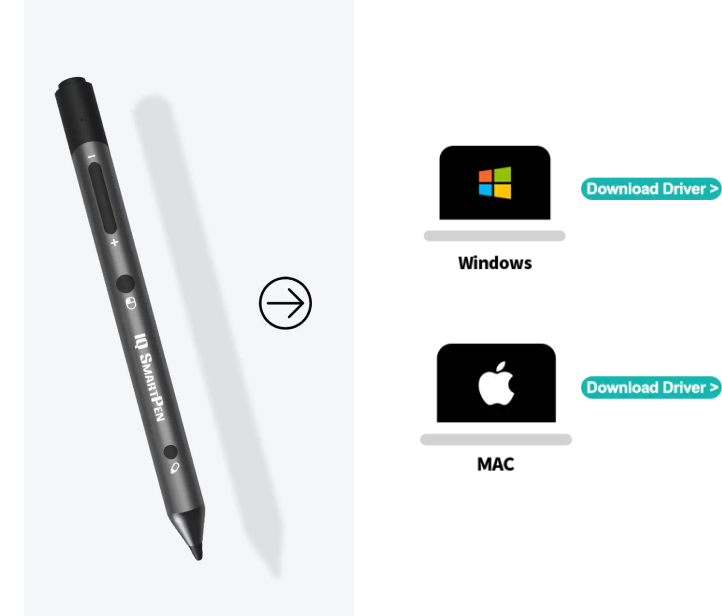
    Experience the perfect synergy between IQ SmartPen and your devices. IQ SmartPen’s seamless compatibility with Windows ensures a professional, efficient, and captivating user experience.

    Where Charging Meets Connectivity Excellence

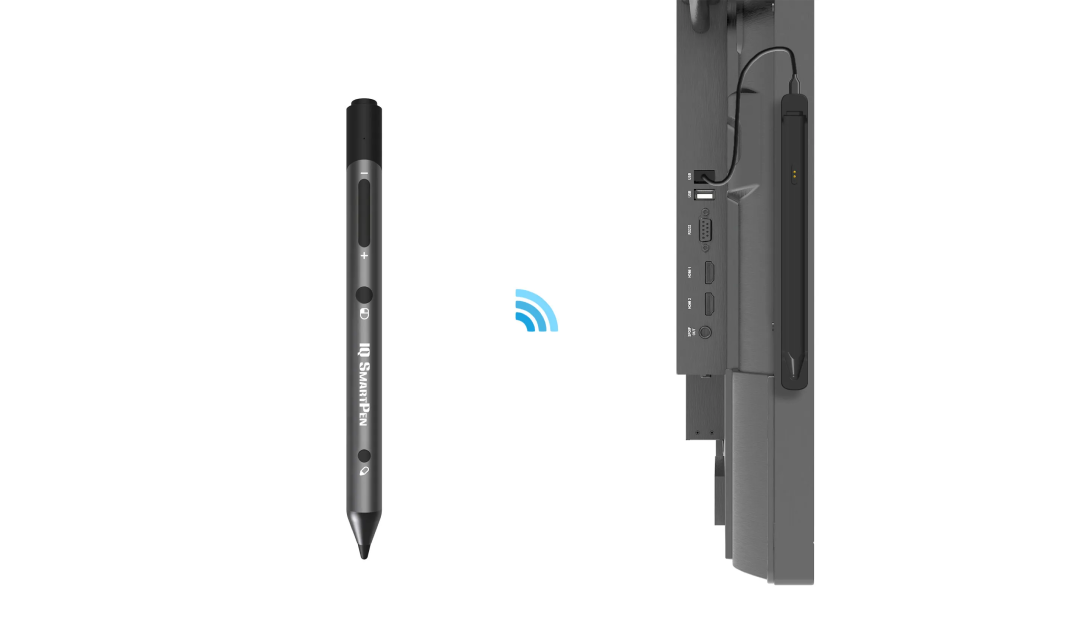
    The Type-C base is a game-changer, acting as both a dynamic charging dock and a signal receiver. Experience the thrill of tapping into the full potential of your battery with touchpoint charging. And with blazing-fast 2.4GHz wireless signal reception, enjoy extended, rock-solid connectivity that stretches an impressive 20 meters. It’s power and precision at your fingertips!

    Where Charging Meets Connectivity Excellence
    3mm Nano Precision Unleashed

    3mm Nano Precision Unleashed

    Indulge in the velvety, wear-resistant precision of the 3mm nano nib. IQ SmartPen ushers in the future of smart pens with its spiral-style portable detachable nibs, delivering not just a sleeker design but also granting you extended writing resilience.

    Unlock Possibilities with Q Button

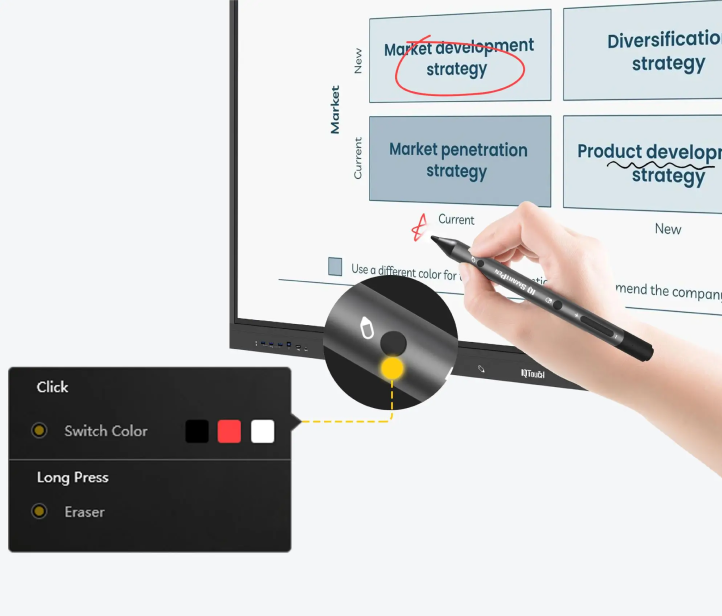
    With Q Button, you’re in command. It serves as your direct hyperlink for quick access to favorite apps with a single click. Long-press, and it becomes your versatile tool for annotating and creating on blackboard. More functions, endless possibilities.

    Unlock Possibilities with Q Button
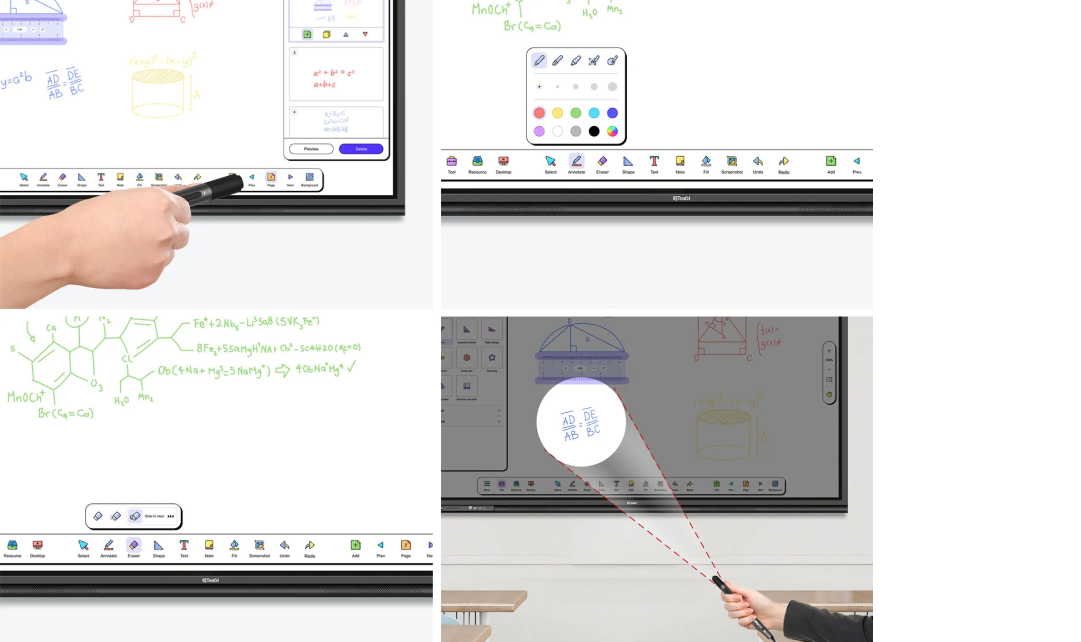
    Annotate and Erase As You Want

    Annotate and Erase As You Want

    Whether you’re annotating, erasing, or seamlessly switching between an array of vibrant pen tip colors, it’s your all-in-one solution for unlocking boundless creativity and functionality.

    Transform Your Mouse Experience with One Click

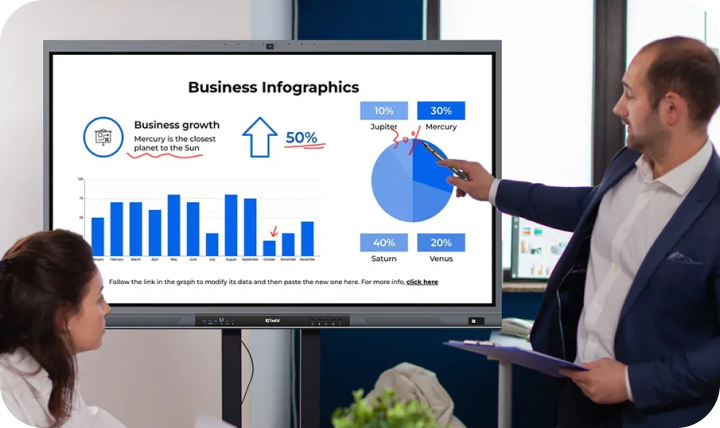
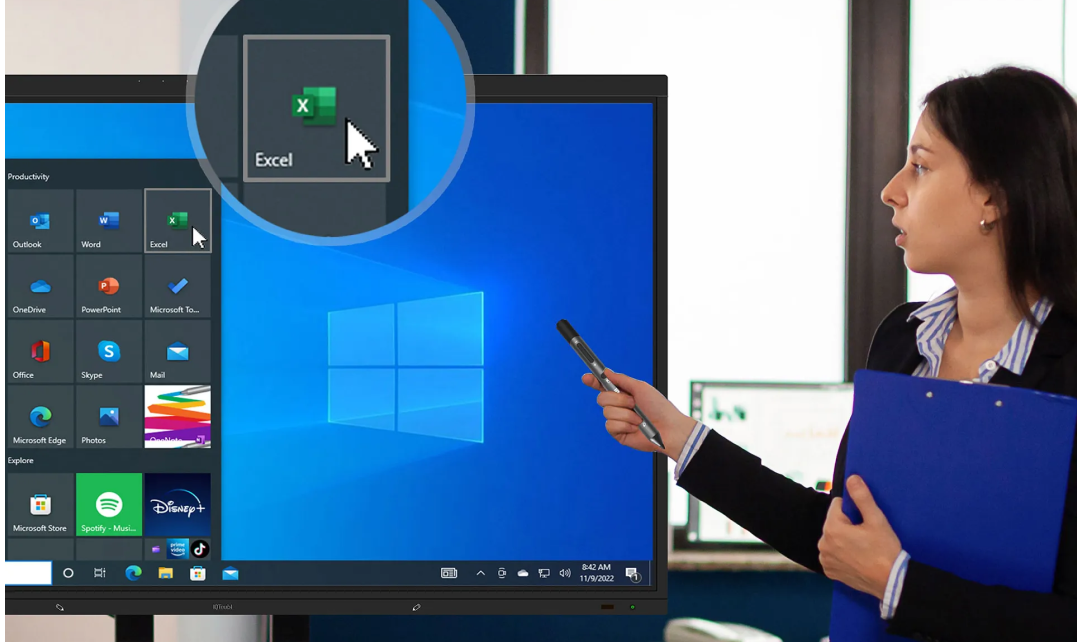
    With just a single click, IQ SmartPen empowers you with the prowess of an ‘air mouse.’ Picture yourself in the midst of a dynamic presentation, where you can move freely, unburdened by the confines of a podium. It’s not just convenience; it’s a boundless experience that redefines your presentations!

    Transform Your Mouse Experience with One Click
    Highlight key points with aid tools

    Highlight key points with aid tools

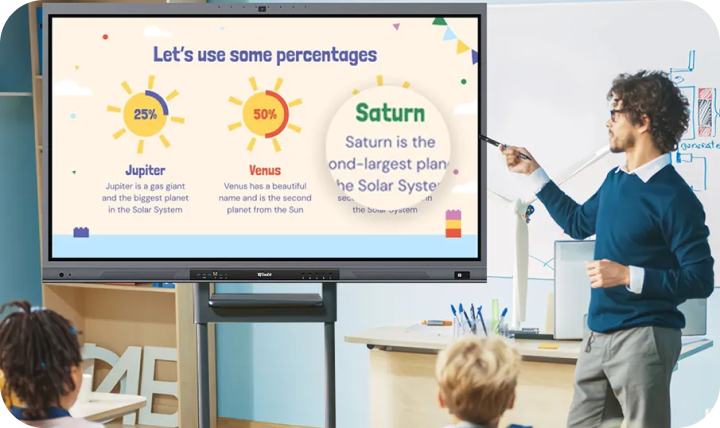
    Ditch the complexities of traditional online systems, IQ SmartPen can be used as a laser pointer or wireless presenter. It also provides a variety of tools for handy use. For example, magnifier to make the details more clear and spotlight to emphasize the content, etc. With one small pen at hand, your presentation could be smoother than ever.

    Elevate Your Teaching with IQ SmartPen and IQClass One Software

    IQ SmartPen can be a good assistant for teaching environment as well. Through customizing each key’s function of IQ SmartPen based on IQClass One software, the lecturer could use smart pen with the software to deliver more efficient speech.

    Elevate Your Teaching with IQ SmartPen and IQClass One Software

    Resource for you

    SmartPen Brochure

    SmartPen User Manual

    SmartPen Driver

    NDP500

    NDP500

    Desktop Digital Podium

    NDP500

    Desktop Digital Podium

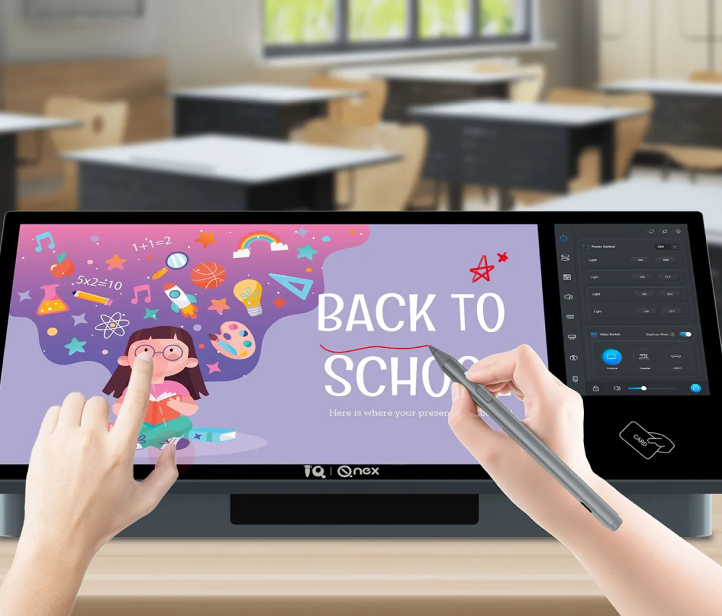
    Smart Podium NDP500: Desktop Digital Podium for Classrooms

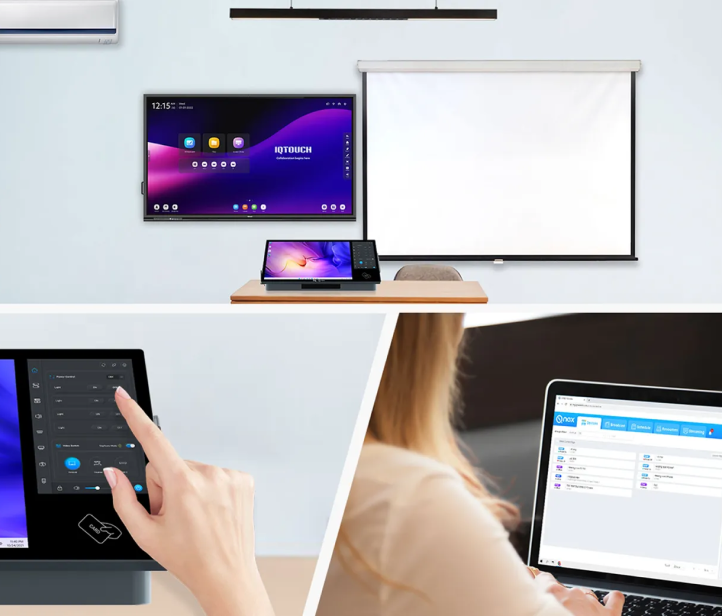
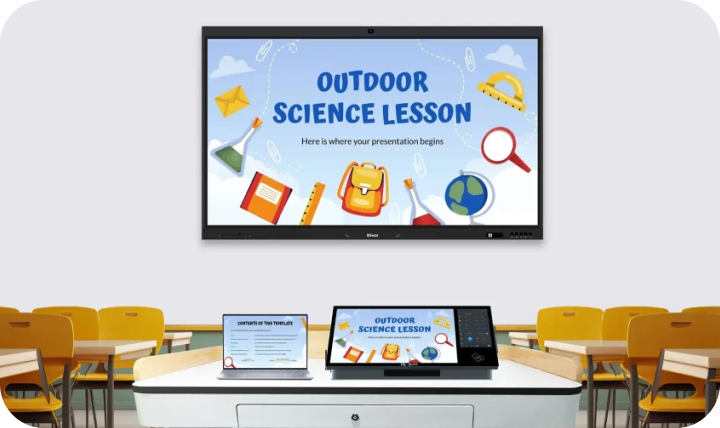
    Q-NEX Desktop Digital Podium NDP500, a desktop all-in-one smart podium specifically crafted for classrooms that already possess a lectern. Simply place it on top of the existing lectern, and a conversion to a smart podium is achieved. The smart digital podium can elevate your teaching experience by turning a traditional podium into a smart podium for classroom. Also, it can enhance your presentation capabilities, improve your positioning convenience, and enable flexible content display.

    Smart Podium NDP500: Desktop Digital Podium for Classrooms
    Capacitive Pen&Finger Touch

    Capacitive Pen&Finger Touch

    Q-NEX NDP500 smart podium supports both finger and pen writing. It allows gesture controls for clicking, zooming, and roaming, while pen for annotations. This desktop writing capability enhances the teacher’s experience, fostering eye contact between presenters and audience.

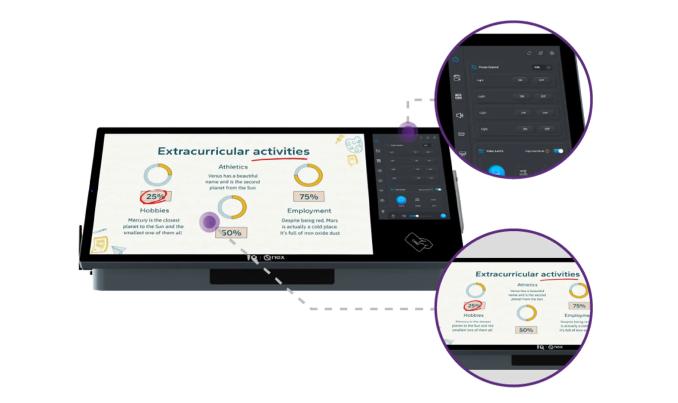
    Dual Screens with Optical Bonding

    The smart tech podium features two screens for annotation and local device control. The screens employ optical bonding technology, providing teachers with a comfortable visual, touch, and writing experience.

    Dual Screens with Optical Bonding
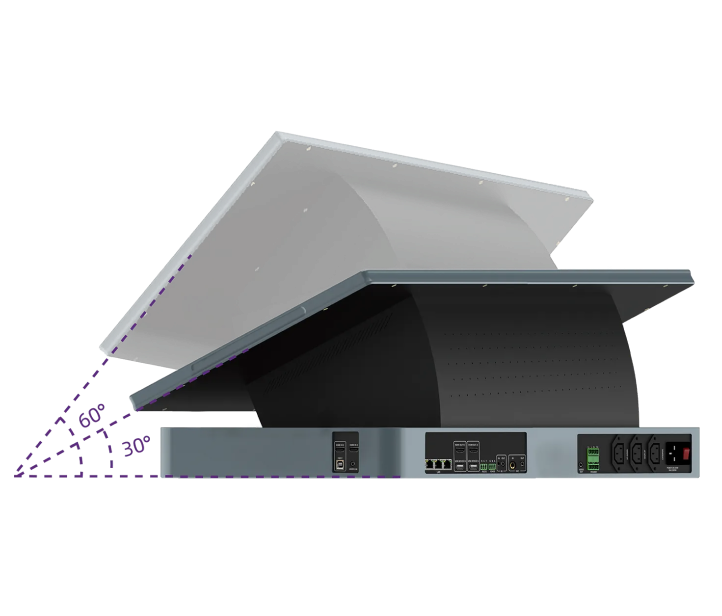
    30°-60° Screen Adjustment

    30°-60° Screen Adjustment

    The desktop integrated smart podium can be placed on a traditional lectern, offering a screen angle adjustment from 30° to 60° for convenient switching between sitting and standing positions, bringing the lecturer more comfortable experience during class.

    3x2 AV Matrix Switch

    The 3×2 matrix switch allows teachers to flexibly switch input and output devices in the classroom, enabling dynamically switch and showcase desired content on screens. Whether presenting identical or different content on multiple screens in a multi-screen classroom, the matrix switch provides a versatile and adaptable display experience.

    3x2 AV Matrix Switch
    Unified Device Control from Local and Network

    Unified Device Control from Local and Network

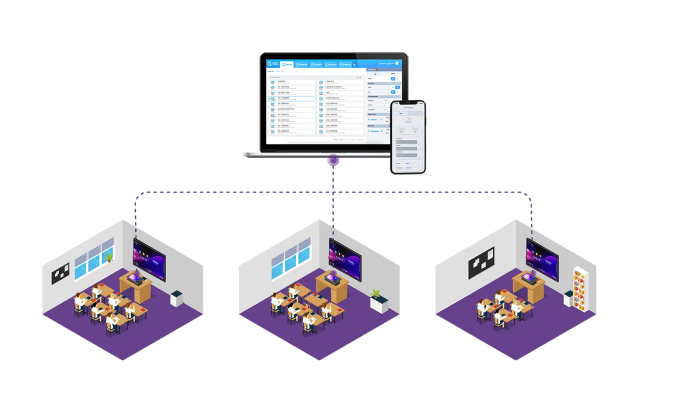
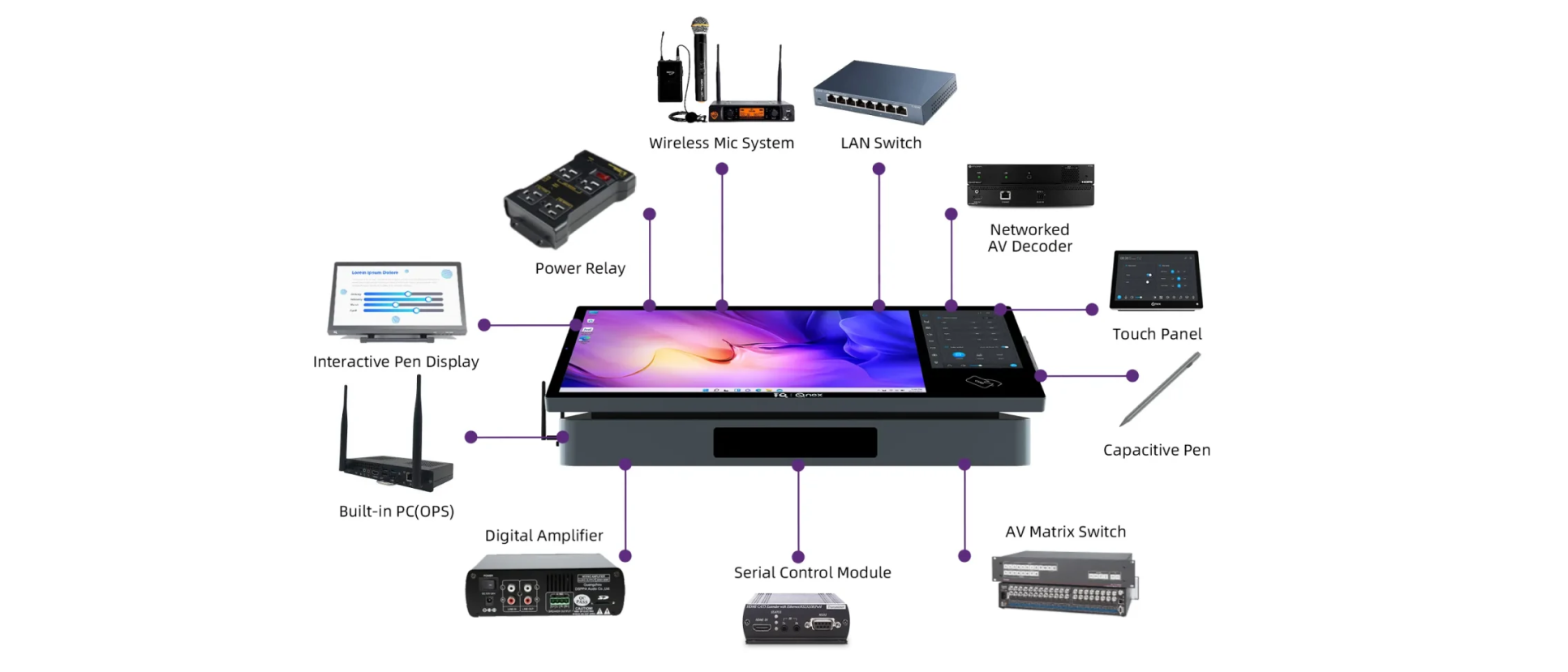
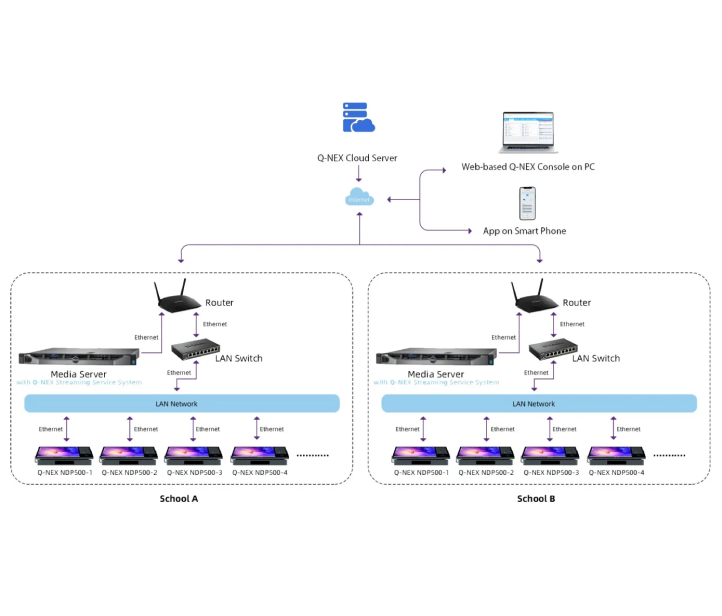
    The desktop all-in-one digital  podium enables seamless one-click activation of classroom devices (lights, interactive flat panels, projectors, etc.). It offers control over air conditioning temperature and mode adjustments. NDP500 provides unified control through both local and network-based remote access, allowing centralized device management across multiple classrooms.

    Remotely Control from Anywhere

    The smart podium allows remote control from local touch panel or remotely from anywhere globally. The Web-based Console permits convenient control through Web browsers or APP from mobile phone through the Internet, ensuring accessibility from any location.

    Remotely Control from Anywhere
    AV Broadcasting and Live Streaming

    AV Broadcasting and Live Streaming

    Q-NEX NDP500 desktop smart podium facilitates campus-wide audiovisual broadcasting or live streaming over the network. Whether initiating real-time broadcasts or scheduling different audio or video to various classrooms, it offers extensive possibilities.

    Wireless Microphone & Sound Amplification System

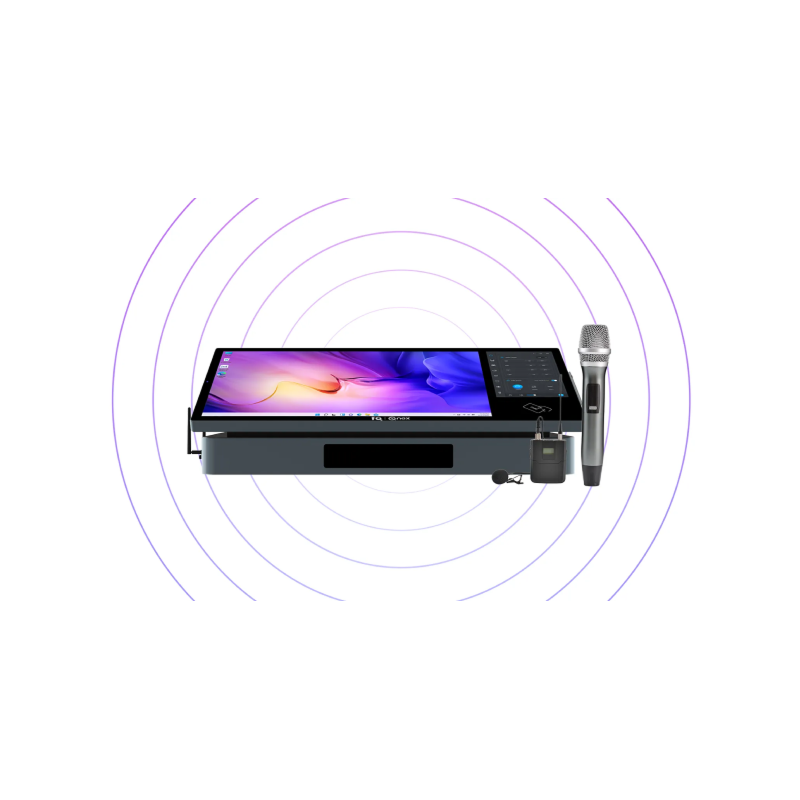
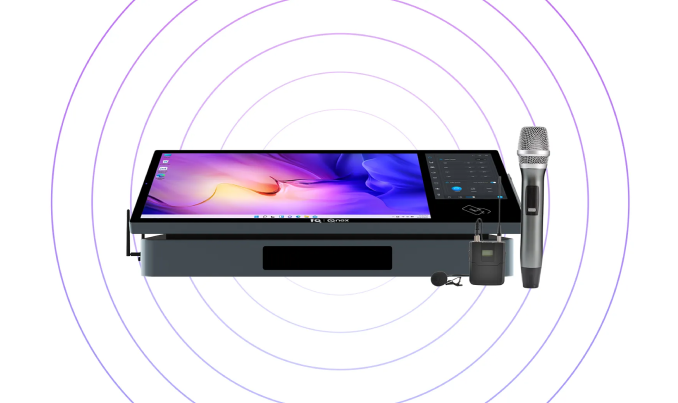
    Equipped with a wireless microphone system and built-in amplification, Q-NEX NDP500 desktop smart podium makes it easy for teachers to amplify their voice locally, ensuring a more effortless teaching experience.

    Wireless Microphone & Sound Amplification System
    Handy use on the built-in computer

    Handy use on the built-in computer

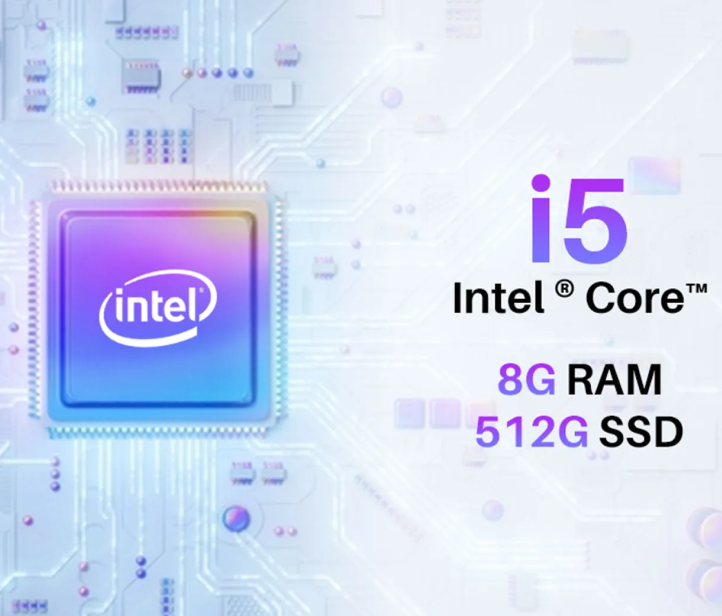
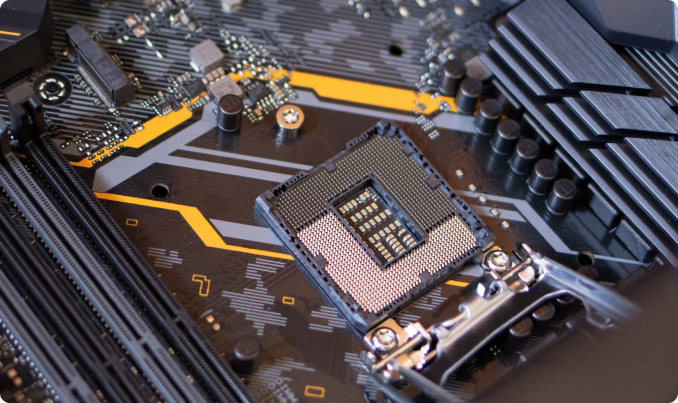
    Integrated with a high-end computer, the desktop smart podium not only saves teachers the trouble to bring their own laptop to the classroom, but also spare classroom space for installing an extra PC.

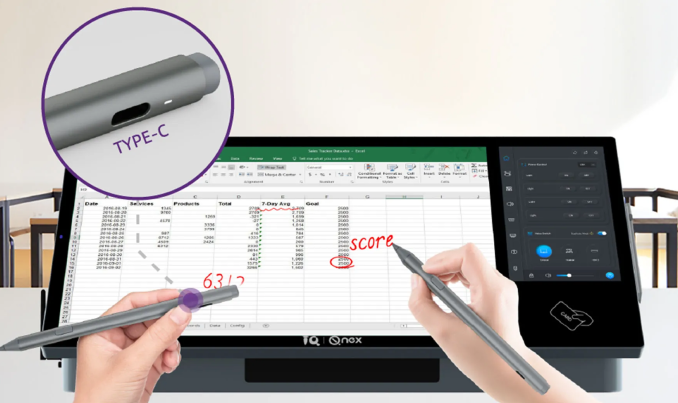
    Precise pen control with convenience

    Q-NEX NDP500 active capacitive stylus pen enables precise control that enhances convenience and functionality with:

    • 4096 levels of pen pressure
    • Pen tip annotation and pen tail eraser for corrections
    • Compatible with Microsoft Pen Protocol and Windows Ink support
    • TYPE-C Charging paired with an LED indicator
    • Aluminum alloy integrated body structure for durable use
    Precise pen control with convenience

    Inside the NDP500

    Inside the NDP500

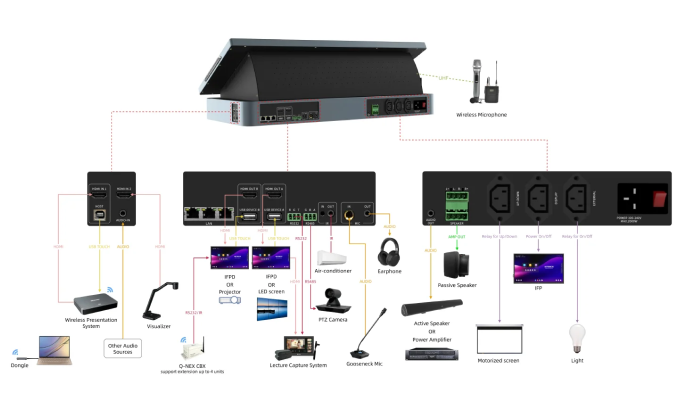
    Application Diagram

    Network Structure

    Network Structure

    Application scenarios

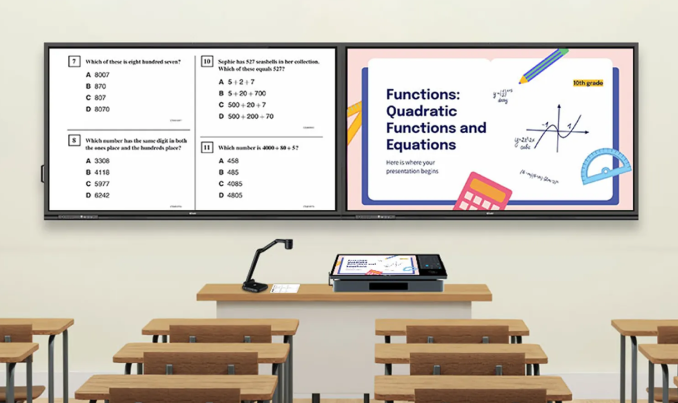
    Smart classroom

    Smart classroom

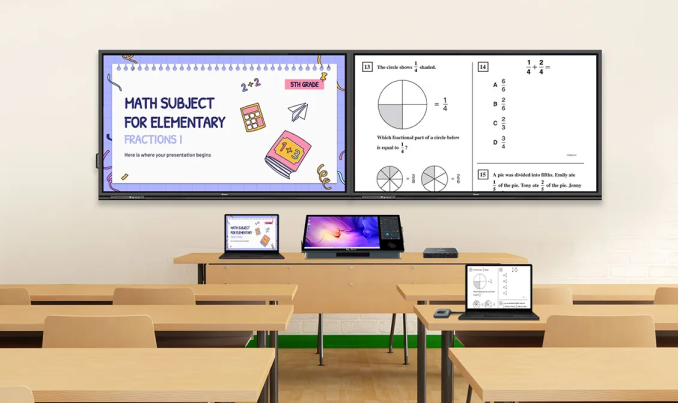
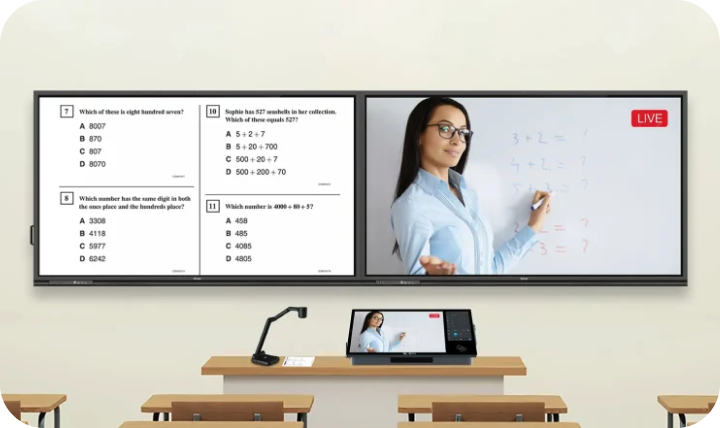
    With additional devices such as document cameras or wireless sharing systems access, teachers can present engaging content through multiple screens, enriching the visual experience for students.

    Lecture Hall / Auditorium

    Lecture Hall / Auditorium

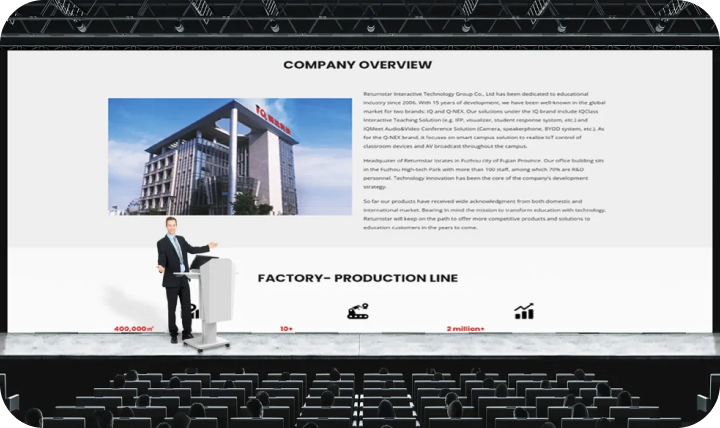
    The NDP500, with its multifunctionality and easy installation, can be effortlessly deployed in medium to large lecture hall settings. It elegantly delivers presentations and lectures in large venues, enhancing the experience for both presenters and audiences.

    Online teaching classroom

    Online teaching classroom

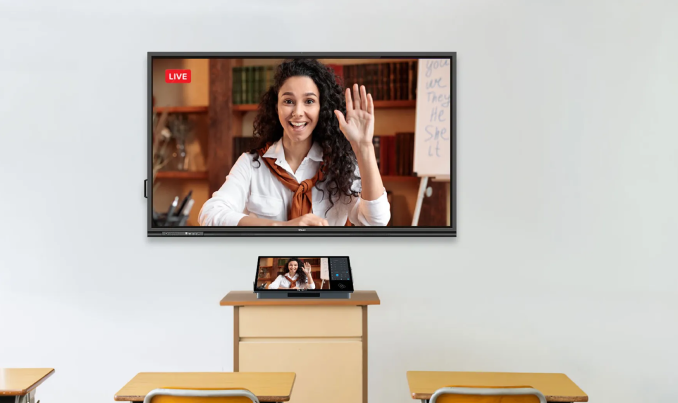
    The NDP500 control panel allows for easy control of camera images. Through the NDP500, you can access the classroom’s connected cameras, microphones, and other devices, enabling direct online teaching and facilitating hybrid learning.

    Meeting room

    Meeting room

    With its advanced features and adaptability, NDP500 is perfect for meeting rooms, whether online or offline, and can be seamlessly integrated with various devices such as laptops, projectors and sound systems. This facilitates effective communication and collaboration during meetings.

    Why Should You Use Desktop Digital Podium?

    Enhanced Presentation Capabilities

    Q-NEX NDP500 smart podium’s dual screens with optical bonding provide a comfortable visual, touch, and writing experience. Teachers can use these screens for annotations and controlling local devices, making presentations more engaging and interactive.

    Improved Positioning Convenience

    The ability of Q-NEX NDP500 smart podium for classroom can adjust the screen angle from 30° to 60°, which accommodates teaching postures ranging from seated to standing positions, greatly enhancing the comfort and effectiveness of the presenter.

    Flexible Content Display

    Q-NEX NDP500 smart digital podium 3×2 AV matrix switch function enables flexible switching for displaying different content across multiple screens. It can also facilitate the clear display of identical content across all classroom screens, ensuring that students in every corner can see clearly.

    Remote and Unified Device Management

    The ability to control the Q-NEX NDP500 smart tech podium both locally and remotely offers significant convenience. Teachers can manage classroom devices (like interactive flat panels, interactive projectors, interactive whiteboard, lights, etc.) from anywhere, anytime, providing ease of use and efficiency in managing the classroom devices and overall learning environment.

    Broadcasting and Streaming Capabilities

    Q-NEX NDP500 desktop all-in-one digital podium supports to receive campus-wide AV broadcasting and live streaming, enabling real-time broadcasts or scheduled content delivery to different classrooms. This is ideal for school-wide announcements or sharing educational content across multiple classes.

    Easy Integration with Existing Infrastructure

    The Q-NEX NDP500 desktop smart podium can be placed on top of existing lecterns, making it easy to convert traditional podiums into smart podiums without the need for significant changes to classroom layout or infrastructure.
    Frequently Asked Questions

    Smart podium is a compact and technologically advanced tabletop presentation device designed for classroom and lecture environments. It integrates multimedia equipment with interaction and device centralized control features, providing an all-in-one solution for presenters.

    A desktop smart podium enhances classroom engagement through highly integrated functionality design. It simplifies control of classroom equipment, providing convenience for flexible display of class content. Moreover, placing it on top of existing lecterns can transform them into smart lecterns.

    Smart podium works by integrating multimedia equipment like the teacher’s laptop, document camera, passive speaker, air conditioner, light, etc. for centralized control. They enable presenters to better leverage audiovisual devices, share digital content, and engage with the audience.

    Smart podium supports connecting various classroom devices, including laptops, interactive flat panels, projectors, interactive whiteboards, air-conditioners, lights, etc. This compatibility allows seamless integration with existing classroom technology and simplifies classroom devices control through simple entry.

    Smart podium key features include 3×2 AV matrix switch, device control both locally and remotely, extensive campus-wide AV broadcasting and live streaming capabilities.

    Yes. smart podium NDP500 supports laptop connectivity with HDMI/Type-C ports, allowing presenters to share content freely from laptop to display devices in the classroom.

    Yes, a smart podium NDP500 can be connected to a variety of devices such as interactive flat panels, projectors, visualizers, microphones, and more, creating an integrated audiovisual environment to simplify teaching operation.

    Q-NEX desktop smart podium NDP500 has a unique advantage with its network access feature. This capability facilitates remote control and operation over the Internet, enabling whole-school management. Through scheduled actions, such as powering off devices when classes conclude or broadcasting videos during designated class slots, Q-NEX desktop smart podium NDP500 ensures efficient and tailored utilization in educational environments.
    Resource for you

    NDP500 Brochure

    NDP500 Datasheet

    NDP500 Quick Guide

    IQShare Button

    Gen2

    IQSHARE BUTTON

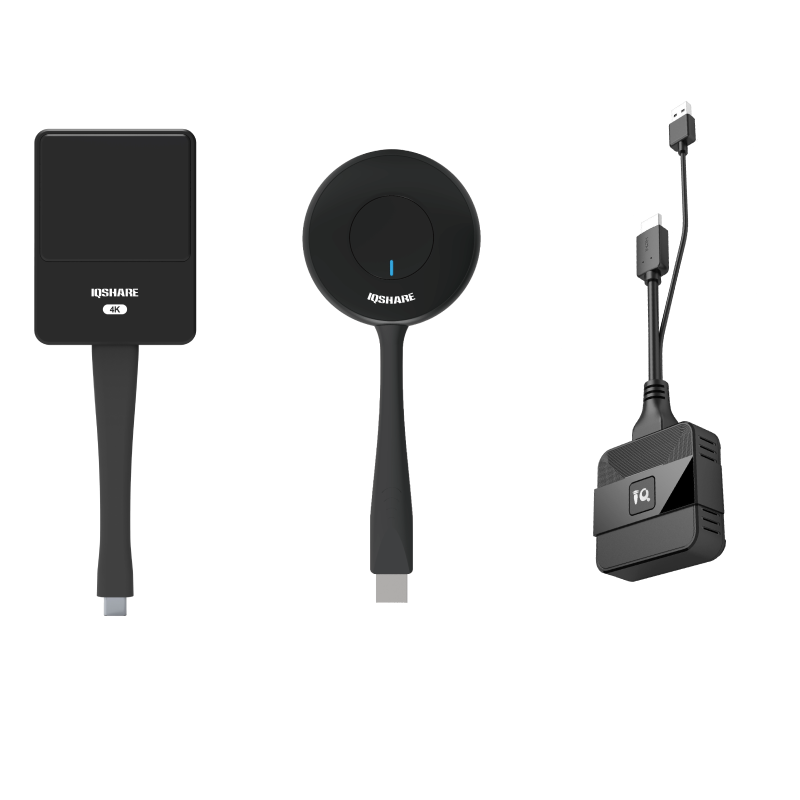
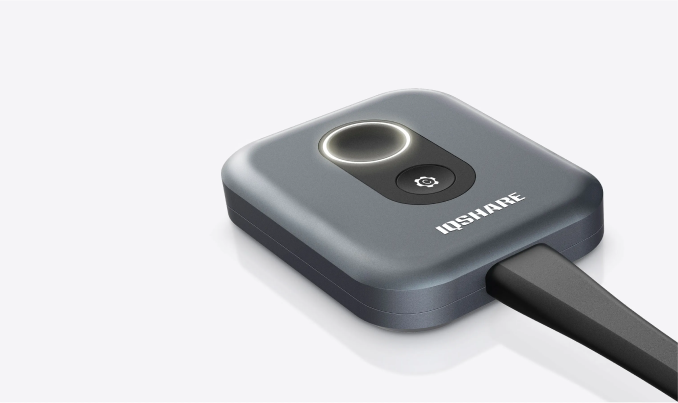
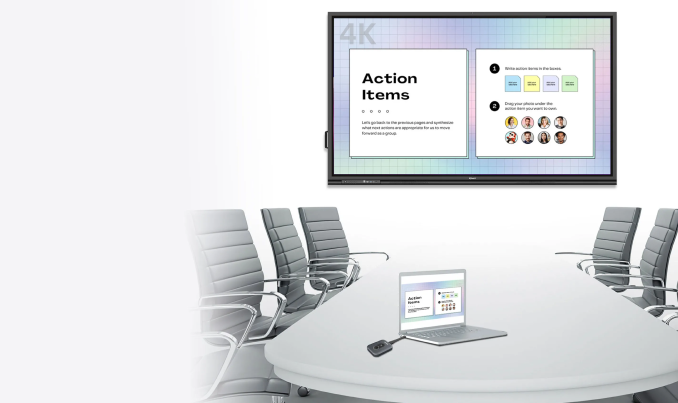
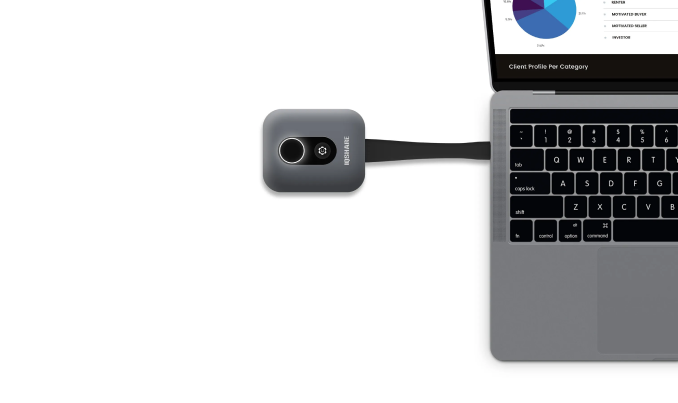
    As a Click-to-Share button for wireless presentation, IQShare Button realizes screen mirroing of your personal device to the meeting room’s IQTouch with extended BYOM feature.

    IQSHARE BUTTON GEN2

    As a Click-to-Share button for wireless presentation, IQShare Button realizes screen mirroing of your personal device to the meeting room’s IQTouch with extended BYOM feature.
    Two buttons

    Two buttons

    Plug & play

    Plug & play

    OS independent

    OS independent

    Customized button

    Customized button

    No software needed

    No software needed

    Touchback

    Touchback

    4K display

    4K display

    Automatic pairing

    Automatic pairing

    Dual-Button Innovation

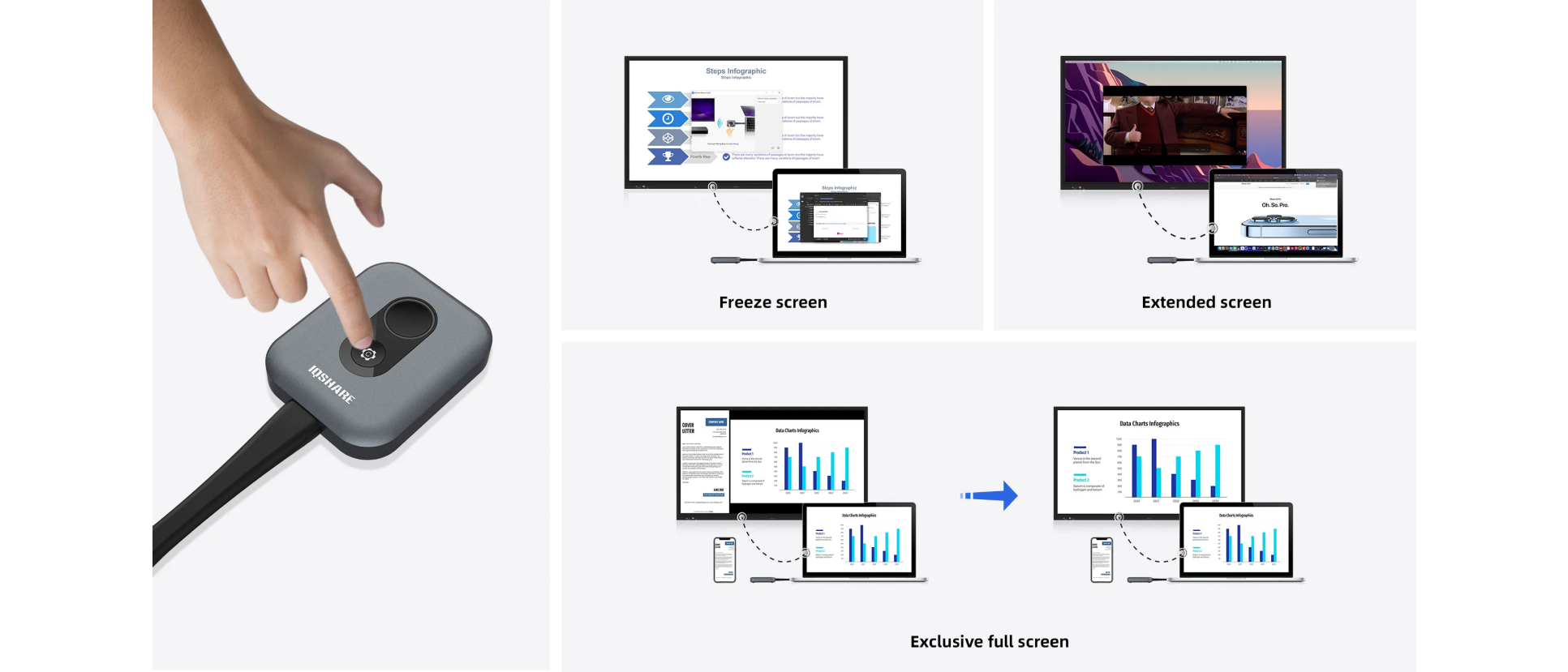
    Embrace boundless possibilities with our dual-button innovation. One button seamlessly projects your content wirelessly, while the other opens a world of customization like screen freeze, screen expansion, and screen exclusivity, putting you in full control of your presentations.

    Dual-Button Innovation

    Get in on the extra button

    The customized button is a fast track to your favorite features after screen sharing. By default, it is set to freeze the screen. You can choose more actions in the setting to exclusive full screen, extended screen,mute.

    Get in on the extra button
    4K Screen Mirror

    4K Screen Mirror

    Enjoy every detail of your presentation with up to 4K UHD screen sharing. All three types of IQShare buttons ensure crystal clear image and smooth video transmission from your personal device to the room display efforlessly.
    One Click to Share Wirelessly

    Cable-free | Two-way touch control

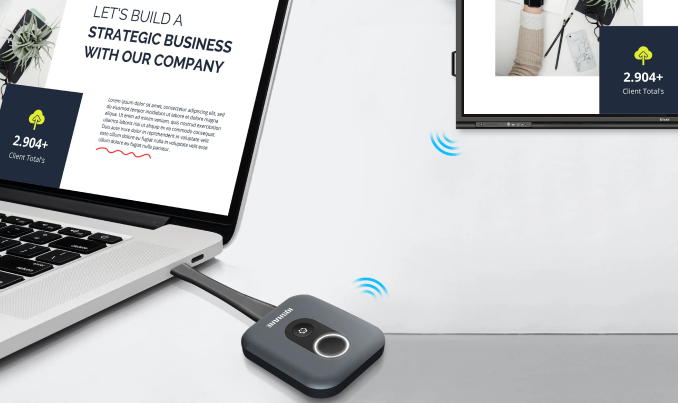
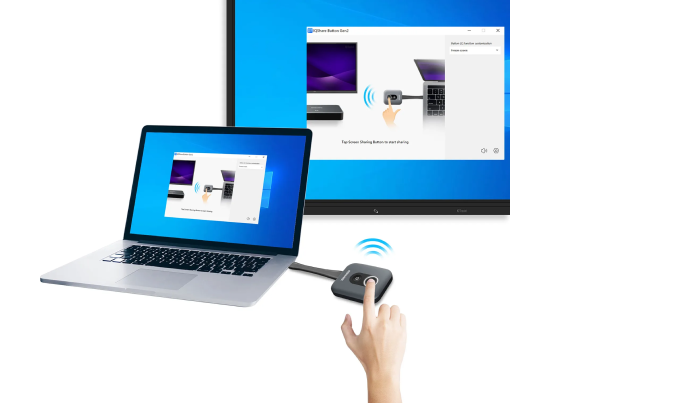
    One click and share the screen content of your laptop instantly, IQShare Button with wireless presentation system frees you from cables and adapters. It supports touch control from both your personal screen and IQTouch, which brings the greatest convenience to the presenters.

    One Click to Share Wirelessly
    Multiple Content Sharing

    Multiple Content Sharing

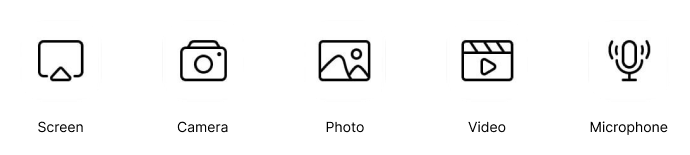
    Share any files you want. Select the sharing mode as the entire screen or preferred content to ensure privacy. Audio, video, photos or documents can be presented to enrich your classroom or meeting interaction.

    Bring Your Own Meeting

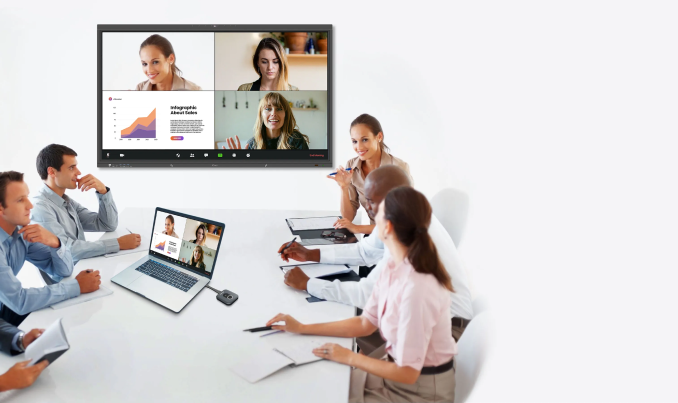
    Allow you wirelessly share you personal screen, access camera and microphone of the office IQTouch display, and start the video conference using your preferred UC platform (Microsoft Teams, Zoom, Webex).
    Bring Your Own Meeting
    Easy Pairing

    Easy Pairing

    Seamless plug & Play I No software needed

    It offers a plug & play experience – just plug it into your laptop, press the button, and start screen sharing instantly. No installations, no fuss.

    Flexible Compatibility

    OS independent I Cross-Platform Versatility

    It offers a plug & play experience – just plug it into your laptop, press the button, and start screen sharing instantly. No installations, no fuss. 

    Flexible Compatibility
    Guest-Friendly Sharing

    Guest-Friendly Sharing

    For guests who don’t have access to the company network, they can still present or share wirelessly with their laptops in your office through IQShare Button. Network connectivity is not a must for temporary users.

    Multiple Ideas Presenting

    Multiple Click-to Share buttons can be connected, presenting various ideas by split screens simultaneously and stimulate brainstorming on one centered display.

    Secure & Stable Transmission

    By adopting the Advanced Encryption Standard (AES) of security and long-lasting stability of screen sharing, it prevents data leakage during the ideas sharing and empowers you a secure and smooth presentation without being disrupted.

    Resource for you

    IQShare Button User Manual